San Andreas / Mod / Mod
Simple Shadows [AntiLAG]
- Dzeko.exe | 上传者: Dzeko.exe
- youtube.com/channel/UCOEZYU...
- 03/31/2015
- 93959 下载量
评分:
请先登录。
收藏夹:
下载
467.39Kb
467.39Kb
![Simple Shadows [AntiLAG]](/img/201503/b/1427833469_gallery10987243.jpg)
![Simple Shadows [AntiLAG]](/img/201503/b/1427833469_gallery78972437.jpg)
![Simple Shadows [AntiLAG]](/img/201503/b/1427833469_gallery887234789.jpg)
![Simple Shadows [AntiLAG]](/img/201503/b/1427833469_gallery978923243.jpg)
Videos

你需要先登录才能为该 Mod 添加视频。
描述
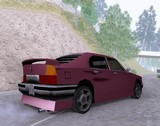
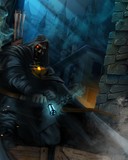
I've edited these Shadows to GTA SAN ANDREAS.
I've removed the lag, and i put more darkness....
He editado estas sombras para GTA SAN ANDREAS.
He quitado el lag, y las puse más oscuras....
INSTALLATION:
Just move the file "d3d9.dll" to your GTA SA Folder.
HOW TO USE IT:
Go to configuration game, and put resolution "MEDIUM / HIGH / or VERY HIGH"
(Obviously Recommended VERY HIGH) ENJOY.
INSTALACIÓN:
Sólo mueve el archivo llamado "d3d9.dll" a la carpeta raíz de tu GTA SA.
COMO USARLO USARLO:
Ve a la configuración del juego, y ponlo en "MEDIO / ALTO / o MUY ALTO"
(Obviamente recomendado en MUY ALTO) DISFRUTALO.
CAN YOU SHARE IT ON YOUTUBE, FACEBOOK, WEB-SITE, SO ON, BUT PLEASE GIVE MY CREDITS.
PUEDES COMPARTIRLO EN YOUTUBE, FACEBOOK, SITIOS WEB, ETC, PERO POR FAVOR DAME MIS CRÉDITOS.
THANKS EVERYONE!.
I've removed the lag, and i put more darkness....
He editado estas sombras para GTA SAN ANDREAS.
He quitado el lag, y las puse más oscuras....
INSTALLATION:
Just move the file "d3d9.dll" to your GTA SA Folder.
HOW TO USE IT:
Go to configuration game, and put resolution "MEDIUM / HIGH / or VERY HIGH"
(Obviously Recommended VERY HIGH) ENJOY.
INSTALACIÓN:
Sólo mueve el archivo llamado "d3d9.dll" a la carpeta raíz de tu GTA SA.
COMO USARLO USARLO:
Ve a la configuración del juego, y ponlo en "MEDIO / ALTO / o MUY ALTO"
(Obviamente recomendado en MUY ALTO) DISFRUTALO.
CAN YOU SHARE IT ON YOUTUBE, FACEBOOK, WEB-SITE, SO ON, BUT PLEASE GIVE MY CREDITS.
PUEDES COMPARTIRLO EN YOUTUBE, FACEBOOK, SITIOS WEB, ETC, PERO POR FAVOR DAME MIS CRÉDITOS.
THANKS EVERYONE!.
评论
目前已发表了 46 条评论。











 Congratulations for author







04/25/2015 15:29
No idea, it still doesn't want to work.
引用 | 回复 | (0)
Quote: Dzeko.exe
@Morkva:
Why not?
Just move and replace the file "d3d9.dll" from this mod to your GTA San Andreas Folfer.
Put in Screen Resolution (From configurations gta) in MEDIUM, HIGH, or VERY HIGH. Obviourly recommended VERY HIGH.
Hope you Enjoy
No idea, it still doesn't want to work.
引用 | 回复 | (0)


04/05/2015 19:25
To use this with a enb just rename the d3d9.dll u get from simple shadow [Anti Lag] -> To Shadows_d3d9.dll And Then Open enblocal.ini and replace this line ProxyLibrary= Shadows_d3d9.dll and then launch the game rember to have EnableProxyLibrary=true
InitProxyFunctions=true
set to true
引用 | 回复 | (1)
To use this with a enb just rename the d3d9.dll u get from simple shadow [Anti Lag] -> To Shadows_d3d9.dll And Then Open enblocal.ini and replace this line ProxyLibrary= Shadows_d3d9.dll and then launch the game rember to have EnableProxyLibrary=true
InitProxyFunctions=true
set to true
引用 | 回复 | (1)