GTA IV / Mod / Mod
IV-LANE (Complete Roads Overhaul using DKT70's HD Roads Textures)
- UncleDisco, DKTronics70 | 上传者: UncleDisco
- 11/17/2022
- 151000 下载量
评分:
请先登录。
收藏夹:
下载
26.21Kb
26.21Kb
Videos
尚未添加任何视频。你需要先登录才能为该 Mod 添加视频。
描述
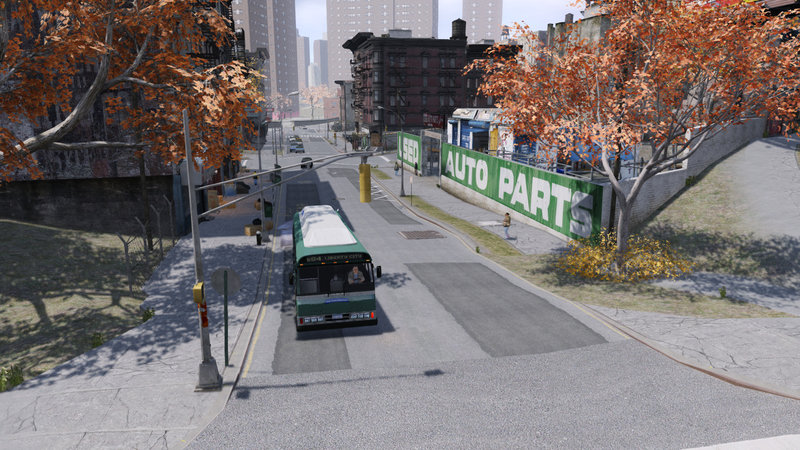
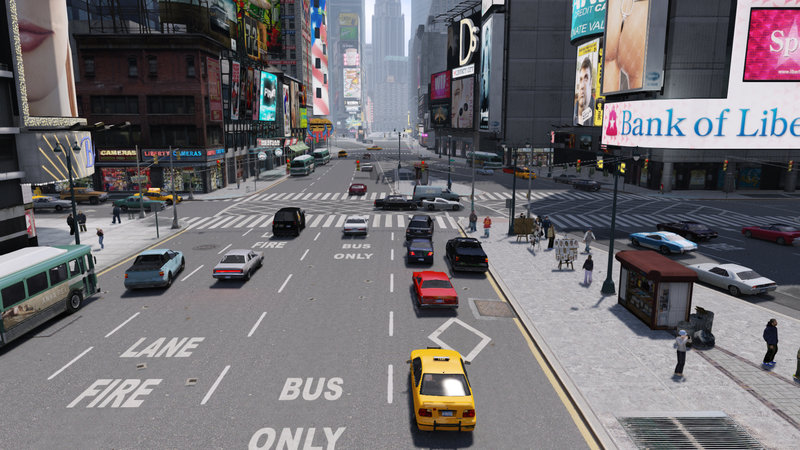
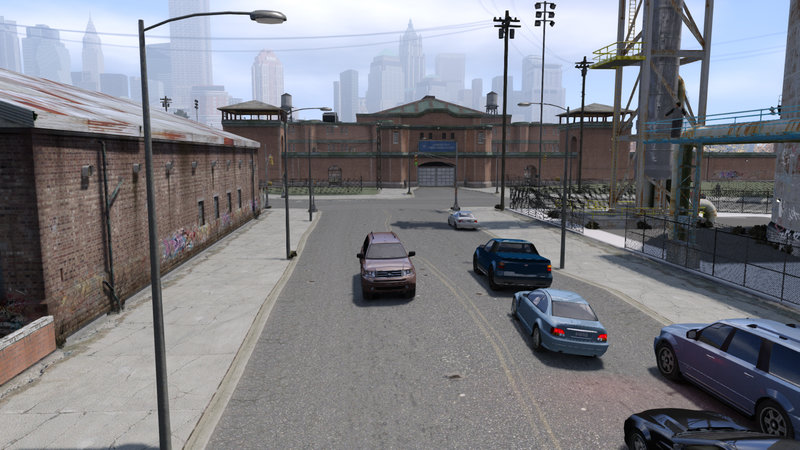
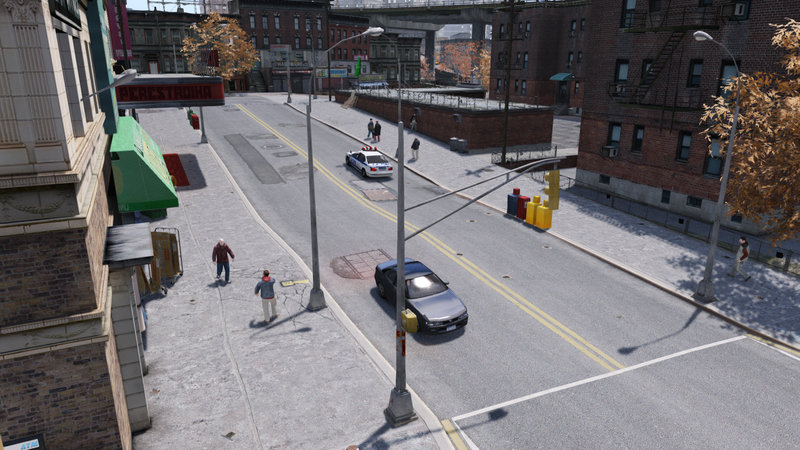
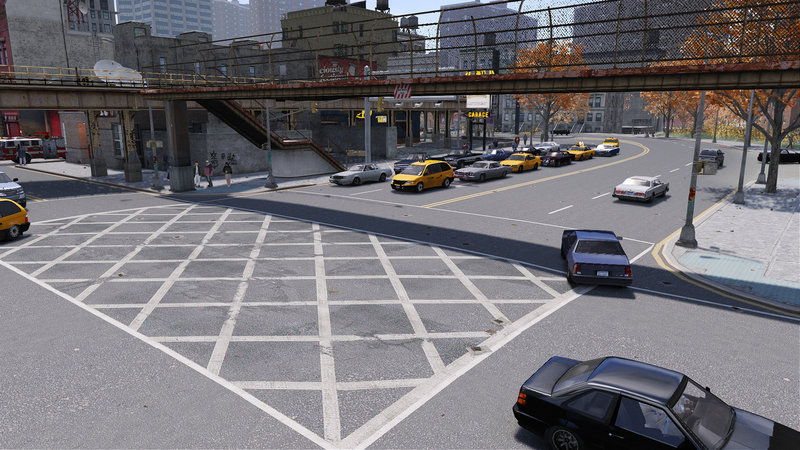
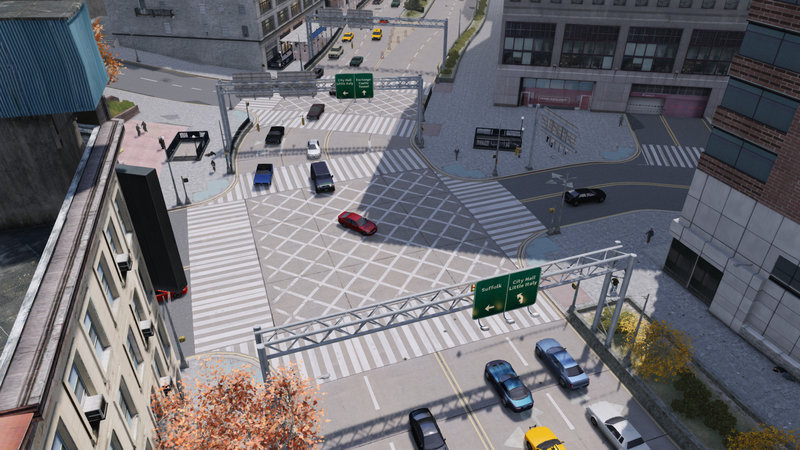
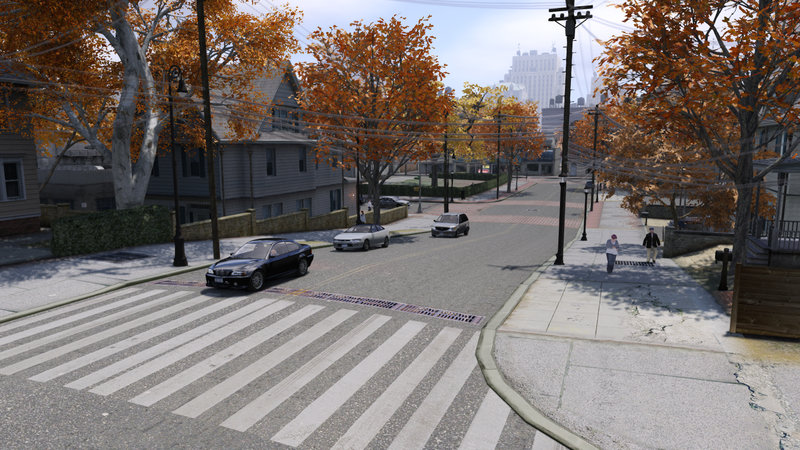
• IV-LANE is a complete road retexture pack for Grand Theft Auto IV that has at its base DKT70’s infamous HD Roads textures. Many thanks to him for making this mod become a reality!
• More information about the mod and its installation can be found in the pdf file included in the download.
• Update changelog:
v1.0 - 11/17/2022 - Released IV-LANE. The mod includes texture modifications to road, sidewalk and normal maps elements in all of the subregions of Broker, Dukes, Bohan, Algonquin and Alderney. Several road and sidewalk specular maps textures have been removed. The mod is available for both the base game of Grand Theft Auto IV and Episodes of Liberty City.
• If you find any bugs or missing textures, or have any suggestions for the further development of this mod, feel free to leave here a comment regarding it.
• More information about the mod and its installation can be found in the pdf file included in the download.
• Update changelog:
v1.0 - 11/17/2022 - Released IV-LANE. The mod includes texture modifications to road, sidewalk and normal maps elements in all of the subregions of Broker, Dukes, Bohan, Algonquin and Alderney. Several road and sidewalk specular maps textures have been removed. The mod is available for both the base game of Grand Theft Auto IV and Episodes of Liberty City.
• If you find any bugs or missing textures, or have any suggestions for the further development of this mod, feel free to leave here a comment regarding it.
评论
目前已发表了 45 条评论。



01/06/2025 12:33
To install using FusionFix or IV Tweaker do these steps:
- download the .oiv installer
- open .oiv installer using winRar or other archive tools
- extract the "content" folder to e.g. the desktop
- open "content" folder and search within for
- *.wdr
- *.wtd
- *.img (only gtxd.img)
- create an empty ivlane.img using OpenIV and place all the wdr and wtd files in there
- to create an empty .img simply duplicate gtxd.img and open it with OpenIV to delete the files within
- defragment the ivlane.img archive using OpenIV ("File -> Defragmentation")
- create a folder in "modloader" of IV Tweaker and name it sth like "IV_LANE"
- place ivlane.img and gtxd.img in that folder
in the end for IV Tweaker it should look like this:
- GTAIV\modloader\IV_LANE\ivlane.img
- GTAIV\modloader\IV_LANE\gtxd.img
or using FusionFix:
- GTAIV\update\ivlane.img
- GTAIV\update\gtxd.img
引用 | 回复
To install using FusionFix or IV Tweaker do these steps:
- download the .oiv installer
- open .oiv installer using winRar or other archive tools
- extract the "content" folder to e.g. the desktop
- open "content" folder and search within for
- *.wdr
- *.wtd
- *.img (only gtxd.img)
- create an empty ivlane.img using OpenIV and place all the wdr and wtd files in there
- to create an empty .img simply duplicate gtxd.img and open it with OpenIV to delete the files within
- defragment the ivlane.img archive using OpenIV ("File -> Defragmentation")
- create a folder in "modloader" of IV Tweaker and name it sth like "IV_LANE"
- place ivlane.img and gtxd.img in that folder
in the end for IV Tweaker it should look like this:
- GTAIV\modloader\IV_LANE\ivlane.img
- GTAIV\modloader\IV_LANE\gtxd.img
or using FusionFix:
- GTAIV\update\ivlane.img
- GTAIV\update\gtxd.img
引用 | 回复


05/24/2024 00:05
I created a video making a remaster of gta 4 and used one of your mods. I promised subscribers to create an installer but said that first I would ask permission from the modders who created it. Can I do the installer? (It's free and you will receive credits) By the way, I put credits in the video too
引用 | 回复
I created a video making a remaster of gta 4 and used one of your mods. I promised subscribers to create an installer but said that first I would ask permission from the modders who created it. Can I do the installer? (It's free and you will receive credits) By the way, I put credits in the video too
引用 | 回复

11/21/2023 16:04
In case you are not being able to download the .oiv files of IV-Lane directly from the GDrive link in the pdf file, this is due to the high amount of daily downloads of the mod. GDrive restricts those requests and basically removes the download option for a brief period of time. There is a workaround to this. Right-click the .oiv file you want to download, click on "Make a copy" and then a pop-up in the lower-left corner of your screen will indicate a "Show file location" button which you'll need to click on. That will transfer to your own GDrive and there you can right click on the copy of the .oiv file you just created and download it as per usual.
引用 | 回复
In case you are not being able to download the .oiv files of IV-Lane directly from the GDrive link in the pdf file, this is due to the high amount of daily downloads of the mod. GDrive restricts those requests and basically removes the download option for a brief period of time. There is a workaround to this. Right-click the .oiv file you want to download, click on "Make a copy" and then a pop-up in the lower-left corner of your screen will indicate a "Show file location" button which you'll need to click on. That will transfer to your own GDrive and there you can right click on the copy of the .oiv file you just created and download it as per usual.
引用 | 回复
05/28/2023 19:41
Problem solved from below. Although OpenIV insists it doesn't need to be opened as admin and when you do open it as admin it promts you that "you no need to run OpenIv with administrator privileges" and asks you to restart ignore it and then it works, Might as well keep my comment there in case anyone else runs into the same issue
引用 | 回复
Problem solved from below. Although OpenIV insists it doesn't need to be opened as admin and when you do open it as admin it promts you that "you no need to run OpenIv with administrator privileges" and asks you to restart ignore it and then it works, Might as well keep my comment there in case anyone else runs into the same issue
引用 | 回复
05/28/2023 19:37
I'm trying to use OpenIV as the install pdf says and I'm getting a installation failed with eh log reading
Start: 28/05/2023 20:33:44
ThreadID: 21900
OS: Windows 10 Home (6.3.22621, 64-bit)
Path: C:\Users\lilsg\AppData\Local\New Technology Studio\Apps\OpenIV\OpenIV.exe
--------------------------------------------------------------------------------
[28/05/2023 20:33:44] [21900] INFO -> Current GameId: "IV"
[28/05/2023 20:33:44] [21900] INFO -> Current GamePlatform: "pc"
[28/05/2023 20:33:44] [21900] INFO -> Current GamePath: "C:\Program Files\Rockstar Games\Grand Theft Auto IV\"
[28/05/2023 20:33:44] [22764] INFO -> Loading package
[28/05/2023 20:33:44] [22764] INFO -> Loading package from "C:\Users\lilsg\Downloads\IV-LANE mod installers (V1.0)-20230528T171743Z-001\IV-LANE mod installers (V1.0)\IV-LANE (BASE).oiv"
[28/05/2023 20:33:44] [22764] INFO -> Package file was opened successfully
[28/05/2023 20:33:44] [22764] INFO -> Loading assembly from "assembly.xml"
[28/05/2023 20:33:44] [22764] INFO -> Reading assembly file "assembly.xml"
[28/05/2023 20:33:44] [22764] INFO -> Format version: "2.0"
[28/05/2023 20:33:44] [22764] INFO -> Package info class: "TPackageInfo20"
[28/05/2023 20:33:44] [22764] INFO -> Reading package info
[28/05/2023 20:33:44] [22764] INFO -> Package ID: "{8DC63569-721C-4552-8D71-470770B77E95}"
[28/05/2023 20:33:44] [22764] INFO -> Package target: "IV"
[28/05/2023 20:33:44] [22764] INFO -> Package name: "IV-LANE (BASE)"
[28/05/2023 20:33:44] [22764] INFO -> Package version: "1.0"
[28/05/2023 20:33:44] [22764] INFO -> Package version tag: "Stable"
[28/05/2023 20:33:44] [22764] INFO -> Package author: "UncleDisco, DKTronics70"
[28/05/2023 20:33:44] [22764] ERROR -> The "footerLink" attribute is not found in node "metadata>description"
[28/05/2023 20:33:44] [22764] INFO -> Package contains changes for RPF archives
[28/05/2023 20:33:44] [22764] INFO -> Package format supports "mods" folder
[28/05/2023 20:33:44] [22764] INFO -> Loading package icon from "icon.png"
[28/05/2023 20:33:44] [22764] INFO -> Package loaded successfully
[28/05/2023 20:33:44] [21900] INFO -> Current package have only one content to install
[28/05/2023 20:33:44] [21900] INFO -> The "mods" folder is not supported by current game
[28/05/2023 20:33:44] [21900] INFO -> Show confirm install dialog before installation
[28/05/2023 20:33:44] [21900] INFO -> Begin installation
[28/05/2023 20:33:44] [21900] INFO -> No other running installation found
[28/05/2023 20:33:44] [24144] INFO -> Install options
{
Content Index: "-1"
Use "mods" Folder: "False"
}
[28/05/2023 20:33:44] [24144] INFO -> Package installer class: "TPackageInstaller20"
[28/05/2023 20:33:44] [24144] INFO -> Validate content files
[28/05/2023 20:33:44] [24144] INFO -> Validate content files SUCCEEDED
[28/05/2023 20:33:44] [24144] INFO -> Installation
[28/05/2023 20:33:44] [24144] INFO -> Process ARCHIVE "GTA IV" with path "C:\Program Files\Rockstar Games\Grand Theft Auto IV\"
[28/05/2023 20:33:44] [24144] INFO -> ARCHIVE "pc\data\maps\east\bronx_e.img" is exists
[28/05/2023 20:33:44] [24144] INFO -> Process ARCHIVE "bronx_e.img" with path "C:\Program Files\Rockstar Games\Grand Theft Auto IV\pc\data\maps\east\bronx_e.img"
[28/05/2023 20:33:44] [24144] INFO -> Replace file in archive
{
Source: "content/ba124ff9-62a2-4e05-88e9-5559bb2c20a2/agld04_03.wdr"
Destination: "agld04_03.wdr"
Archive: "C:\Program Files\Rockstar Games\Grand Theft Auto IV\pc\data\maps\east\bronx_e.img"
}
[28/05/2023 20:33:44] [24144] ERROR -> Unable to replace file "agld04_03.wdr" with file "content/ba124ff9-62a2-4e05-88e9-5559bb2c20a2/agld04_03.wdr". SYS_ERROR_00000005: Access is denied
[28/05/2023 20:33:44] [24144] INFO -> ARCHIVE "bronx_e.img" processed
[28/05/2023 20:33:44] [24144] INFO -> ARCHIVE "GTA IV" processed
[28/05/2023 20:33:44] [24144] INFO -> Installation FAILED
Any help? Thanks
引用 | 回复
I'm trying to use OpenIV as the install pdf says and I'm getting a installation failed with eh log reading
Start: 28/05/2023 20:33:44
ThreadID: 21900
OS: Windows 10 Home (6.3.22621, 64-bit)
Path: C:\Users\lilsg\AppData\Local\New Technology Studio\Apps\OpenIV\OpenIV.exe
--------------------------------------------------------------------------------
[28/05/2023 20:33:44] [21900] INFO -> Current GameId: "IV"
[28/05/2023 20:33:44] [21900] INFO -> Current GamePlatform: "pc"
[28/05/2023 20:33:44] [21900] INFO -> Current GamePath: "C:\Program Files\Rockstar Games\Grand Theft Auto IV\"
[28/05/2023 20:33:44] [22764] INFO -> Loading package
[28/05/2023 20:33:44] [22764] INFO -> Loading package from "C:\Users\lilsg\Downloads\IV-LANE mod installers (V1.0)-20230528T171743Z-001\IV-LANE mod installers (V1.0)\IV-LANE (BASE).oiv"
[28/05/2023 20:33:44] [22764] INFO -> Package file was opened successfully
[28/05/2023 20:33:44] [22764] INFO -> Loading assembly from "assembly.xml"
[28/05/2023 20:33:44] [22764] INFO -> Reading assembly file "assembly.xml"
[28/05/2023 20:33:44] [22764] INFO -> Format version: "2.0"
[28/05/2023 20:33:44] [22764] INFO -> Package info class: "TPackageInfo20"
[28/05/2023 20:33:44] [22764] INFO -> Reading package info
[28/05/2023 20:33:44] [22764] INFO -> Package ID: "{8DC63569-721C-4552-8D71-470770B77E95}"
[28/05/2023 20:33:44] [22764] INFO -> Package target: "IV"
[28/05/2023 20:33:44] [22764] INFO -> Package name: "IV-LANE (BASE)"
[28/05/2023 20:33:44] [22764] INFO -> Package version: "1.0"
[28/05/2023 20:33:44] [22764] INFO -> Package version tag: "Stable"
[28/05/2023 20:33:44] [22764] INFO -> Package author: "UncleDisco, DKTronics70"
[28/05/2023 20:33:44] [22764] ERROR -> The "footerLink" attribute is not found in node "metadata>description"
[28/05/2023 20:33:44] [22764] INFO -> Package contains changes for RPF archives
[28/05/2023 20:33:44] [22764] INFO -> Package format supports "mods" folder
[28/05/2023 20:33:44] [22764] INFO -> Loading package icon from "icon.png"
[28/05/2023 20:33:44] [22764] INFO -> Package loaded successfully
[28/05/2023 20:33:44] [21900] INFO -> Current package have only one content to install
[28/05/2023 20:33:44] [21900] INFO -> The "mods" folder is not supported by current game
[28/05/2023 20:33:44] [21900] INFO -> Show confirm install dialog before installation
[28/05/2023 20:33:44] [21900] INFO -> Begin installation
[28/05/2023 20:33:44] [21900] INFO -> No other running installation found
[28/05/2023 20:33:44] [24144] INFO -> Install options
{
Content Index: "-1"
Use "mods" Folder: "False"
}
[28/05/2023 20:33:44] [24144] INFO -> Package installer class: "TPackageInstaller20"
[28/05/2023 20:33:44] [24144] INFO -> Validate content files
[28/05/2023 20:33:44] [24144] INFO -> Validate content files SUCCEEDED
[28/05/2023 20:33:44] [24144] INFO -> Installation
[28/05/2023 20:33:44] [24144] INFO -> Process ARCHIVE "GTA IV" with path "C:\Program Files\Rockstar Games\Grand Theft Auto IV\"
[28/05/2023 20:33:44] [24144] INFO -> ARCHIVE "pc\data\maps\east\bronx_e.img" is exists
[28/05/2023 20:33:44] [24144] INFO -> Process ARCHIVE "bronx_e.img" with path "C:\Program Files\Rockstar Games\Grand Theft Auto IV\pc\data\maps\east\bronx_e.img"
[28/05/2023 20:33:44] [24144] INFO -> Replace file in archive
{
Source: "content/ba124ff9-62a2-4e05-88e9-5559bb2c20a2/agld04_03.wdr"
Destination: "agld04_03.wdr"
Archive: "C:\Program Files\Rockstar Games\Grand Theft Auto IV\pc\data\maps\east\bronx_e.img"
}
[28/05/2023 20:33:44] [24144] ERROR -> Unable to replace file "agld04_03.wdr" with file "content/ba124ff9-62a2-4e05-88e9-5559bb2c20a2/agld04_03.wdr". SYS_ERROR_00000005: Access is denied
[28/05/2023 20:33:44] [24144] INFO -> ARCHIVE "bronx_e.img" processed
[28/05/2023 20:33:44] [24144] INFO -> ARCHIVE "GTA IV" processed
[28/05/2023 20:33:44] [24144] INFO -> Installation FAILED
Any help? Thanks
引用 | 回复
01/13/2023 11:18
@UncleDisco I tried to defragment all those files by openIV in your mod, after I did it they have a lot less MB. It did usually help in vehicles.img file when I had this issue a few years back. So Im gonna try that. However with default textures like I said I didnt have this texture issue with that car pack. about commandline Im using this all the time:
-Nomemrestrict
-refreshrate 60
-availablevidmem 10
-norestrictions
-novblank
-shadowquality 3
-renderquality 4
-forcehighqualitymirrors
-fullspecaudio
any further advice, something I should add/remove/change?
as I can see in stream.ini I already have those 409600 values so there is not anything else I can do?. Thanks for answering.
引用 | 回复
@UncleDisco I tried to defragment all those files by openIV in your mod, after I did it they have a lot less MB. It did usually help in vehicles.img file when I had this issue a few years back. So Im gonna try that. However with default textures like I said I didnt have this texture issue with that car pack. about commandline Im using this all the time:
-Nomemrestrict
-refreshrate 60
-availablevidmem 10
-norestrictions
-novblank
-shadowquality 3
-renderquality 4
-forcehighqualitymirrors
-fullspecaudio
any further advice, something I should add/remove/change?
as I can see in stream.ini I already have those 409600 values so there is not anything else I can do?. Thanks for answering.
引用 | 回复
01/12/2023 19:43
@Libertz This is due to how poorly optimized the PC port of GTA IV is and there isn't much to do here. Regarding your issue, a lot of it has to do with the vehicle mod pack that you're using, which, by default, uses a lot more memory within the game and so it increases the chances of texture popping, as the one you described. Adding IV-Lane to it it's only going to make matters worse, since it uses 1024x textures. Only advice I could give you is, if you haven't already, to create a commandline.txt within the game directory with the -nonmemrestrict and -norestrictions lines of text in it. Also, if your PC has 4 or more GB or RAM, you can change the value from "204800" to "409600" to all the lines of text from stream.ini which is located in the "pc" folder from GTA IV's directory. It's highly recommended to use Zolika1351's utilities, both his trainer and his patch, and also the mod called RIL.Budgeted by NTAuthority.
引用 | 回复
@Libertz This is due to how poorly optimized the PC port of GTA IV is and there isn't much to do here. Regarding your issue, a lot of it has to do with the vehicle mod pack that you're using, which, by default, uses a lot more memory within the game and so it increases the chances of texture popping, as the one you described. Adding IV-Lane to it it's only going to make matters worse, since it uses 1024x textures. Only advice I could give you is, if you haven't already, to create a commandline.txt within the game directory with the -nonmemrestrict and -norestrictions lines of text in it. Also, if your PC has 4 or more GB or RAM, you can change the value from "204800" to "409600" to all the lines of text from stream.ini which is located in the "pc" folder from GTA IV's directory. It's highly recommended to use Zolika1351's utilities, both his trainer and his patch, and also the mod called RIL.Budgeted by NTAuthority.
引用 | 回复
01/12/2023 19:17
@4m3lg In the next update, there will be added an EFLC only installer for IV-Lane. The current EFLC package available for download only targets the files from the Complete variant of GTA IV, which has both the base game and the episodes, hence why it cannot be installed on an EFLC only variant like the one you play on.
引用 | 回复
@4m3lg In the next update, there will be added an EFLC only installer for IV-Lane. The current EFLC package available for download only targets the files from the Complete variant of GTA IV, which has both the base game and the episodes, hence why it cannot be installed on an EFLC only variant like the one you play on.
引用 | 回复
01/12/2023 19:10
@shuvo030 An automatic uninstaller will be added in the next update, which will make things easier for everyone that wants to revert to the original textures and/or use other texture mods instead. Until then, you can simply install IV-Lane, then backup the gtxd.img file from pc->data->cdimages and replace it with any other road texture mod you desire. Just remember that gtxd.img does not include all of the textures that IV-Lane modifies.
引用 | 回复
@shuvo030 An automatic uninstaller will be added in the next update, which will make things easier for everyone that wants to revert to the original textures and/or use other texture mods instead. Until then, you can simply install IV-Lane, then backup the gtxd.img file from pc->data->cdimages and replace it with any other road texture mod you desire. Just remember that gtxd.img does not include all of the textures that IV-Lane modifies.
引用 | 回复

01/03/2023 01:10
Package installation error
This package cannot be installed into Episodes from Liberty City. Please check supported games list in additional information section.
C\Users\user\Desktop\IV-LANE (EFLC).oiv
[1/2/2023 8:03:40 PM] [7376] INFO -> Current GameId: "EFLC"
[1/2/2023 8:03:40 PM] [7376] INFO -> Current GamePlatform: "pc"
[1/2/2023 8:03:40 PM] [7376] INFO -> Current GamePath: "D:\Games Folder\Grand Theft Auto IV Complete Edition\EFLC\"
[1/2/2023 8:03:40 PM] [4836] INFO -> Loading package
[1/2/2023 8:03:40 PM] [4836] INFO -> Loading package from "C:\Users\User\Desktop\IV-LANE (EFLC).oiv"
[1/2/2023 8:03:40 PM] [4836] INFO -> Package file was opened successfully
[1/2/2023 8:03:40 PM] [4836] INFO -> Loading assembly from "assembly.xml"
[1/2/2023 8:03:40 PM] [4836] INFO -> Reading assembly file "assembly.xml"
[1/2/2023 8:03:40 PM] [4836] INFO -> Format version: "2.0"
[1/2/2023 8:03:40 PM] [4836] INFO -> Package info class: "TPackageInfo20"
[1/2/2023 8:03:40 PM] [4836] INFO -> Reading package info
[1/2/2023 8:03:40 PM] [4836] INFO -> Package ID: "{082B5820-0B65-43EE-8998-EAFE4CFB376B}"
[1/2/2023 8:03:40 PM] [4836] INFO -> Package target: "IV"
[1/2/2023 8:03:40 PM] [4836] INFO -> Package name: "IV-LANE (EFLC)"
[1/2/2023 8:03:40 PM] [4836] INFO -> Package version: "1.0"
[1/2/2023 8:03:40 PM] [4836] INFO -> Package version tag: "Stable"
[1/2/2023 8:03:40 PM] [4836] INFO -> Package author: "UncleDisco, DKTronics70"
[1/2/2023 8:03:40 PM] [4836] ERROR -> The "footerLink" attribute is not found in node "metadata>description"
[1/2/2023 8:03:40 PM] [4836] INFO -> Package contains changes for RPF archives
[1/2/2023 8:03:40 PM] [4836] INFO -> Package format supports "mods" folder
[1/2/2023 8:03:40 PM] [4836] INFO -> Loading package icon from "icon.png"
[1/2/2023 8:03:40 PM] [4836] INFO -> Package loaded successfully
[1/2/2023 8:03:40 PM] [7376] ERROR -> This package cannot be installed into current game
[1/2/2023 8:03:40 PM] [7376] ERROR -> This package cannot be installed into current game
[1/2/2023 8:03:40 PM] [7376] ERROR -> This package cannot be installed into current game
[1/2/2023 8:03:40 PM] [7376] ERROR -> This package cannot be installed into current game
[1/2/2023 8:08:02 PM] [7376] ERROR -> This package cannot be installed into current game
引用 | 回复
Package installation error
This package cannot be installed into Episodes from Liberty City. Please check supported games list in additional information section.
C\Users\user\Desktop\IV-LANE (EFLC).oiv
[1/2/2023 8:03:40 PM] [7376] INFO -> Current GameId: "EFLC"
[1/2/2023 8:03:40 PM] [7376] INFO -> Current GamePlatform: "pc"
[1/2/2023 8:03:40 PM] [7376] INFO -> Current GamePath: "D:\Games Folder\Grand Theft Auto IV Complete Edition\EFLC\"
[1/2/2023 8:03:40 PM] [4836] INFO -> Loading package
[1/2/2023 8:03:40 PM] [4836] INFO -> Loading package from "C:\Users\User\Desktop\IV-LANE (EFLC).oiv"
[1/2/2023 8:03:40 PM] [4836] INFO -> Package file was opened successfully
[1/2/2023 8:03:40 PM] [4836] INFO -> Loading assembly from "assembly.xml"
[1/2/2023 8:03:40 PM] [4836] INFO -> Reading assembly file "assembly.xml"
[1/2/2023 8:03:40 PM] [4836] INFO -> Format version: "2.0"
[1/2/2023 8:03:40 PM] [4836] INFO -> Package info class: "TPackageInfo20"
[1/2/2023 8:03:40 PM] [4836] INFO -> Reading package info
[1/2/2023 8:03:40 PM] [4836] INFO -> Package ID: "{082B5820-0B65-43EE-8998-EAFE4CFB376B}"
[1/2/2023 8:03:40 PM] [4836] INFO -> Package target: "IV"
[1/2/2023 8:03:40 PM] [4836] INFO -> Package name: "IV-LANE (EFLC)"
[1/2/2023 8:03:40 PM] [4836] INFO -> Package version: "1.0"
[1/2/2023 8:03:40 PM] [4836] INFO -> Package version tag: "Stable"
[1/2/2023 8:03:40 PM] [4836] INFO -> Package author: "UncleDisco, DKTronics70"
[1/2/2023 8:03:40 PM] [4836] ERROR -> The "footerLink" attribute is not found in node "metadata>description"
[1/2/2023 8:03:40 PM] [4836] INFO -> Package contains changes for RPF archives
[1/2/2023 8:03:40 PM] [4836] INFO -> Package format supports "mods" folder
[1/2/2023 8:03:40 PM] [4836] INFO -> Loading package icon from "icon.png"
[1/2/2023 8:03:40 PM] [4836] INFO -> Package loaded successfully
[1/2/2023 8:03:40 PM] [7376] ERROR -> This package cannot be installed into current game
[1/2/2023 8:03:40 PM] [7376] ERROR -> This package cannot be installed into current game
[1/2/2023 8:03:40 PM] [7376] ERROR -> This package cannot be installed into current game
[1/2/2023 8:03:40 PM] [7376] ERROR -> This package cannot be installed into current game
[1/2/2023 8:08:02 PM] [7376] ERROR -> This package cannot be installed into current game
引用 | 回复