GTA IV / 修改器
Zolika1351's Trainer REWRITE 4.0
- Zolika1351 | 上传者: Zolika1351
- 08/20/2018
- 399338 下载量
评分:
请先登录。
收藏夹:
下载
37.39Mb
37.39Mb
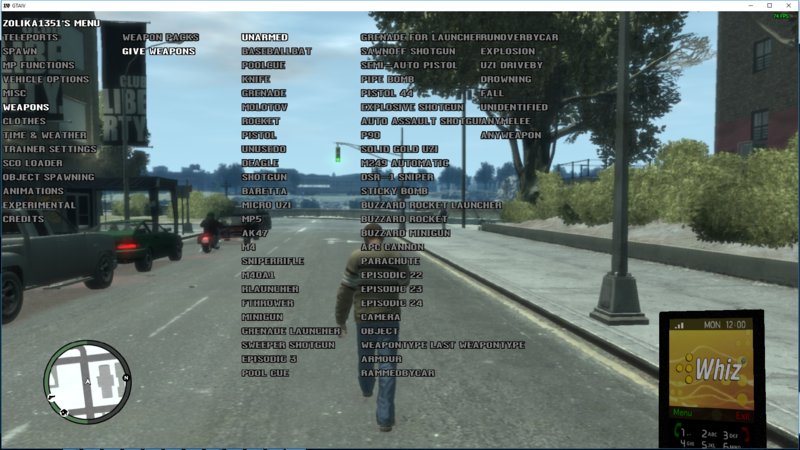
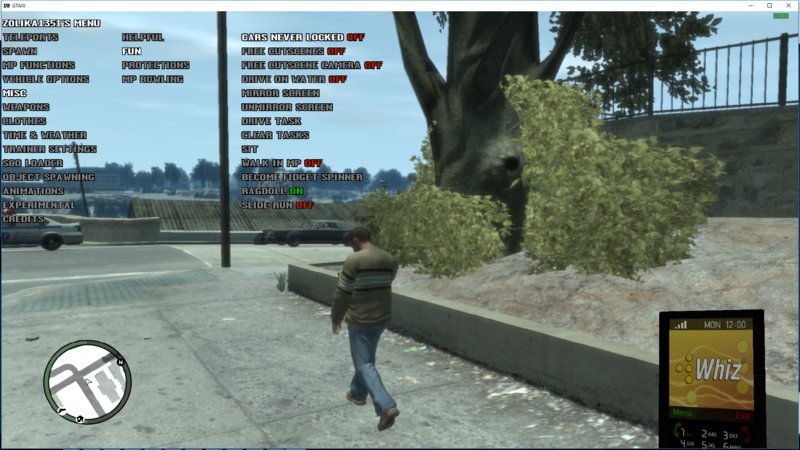
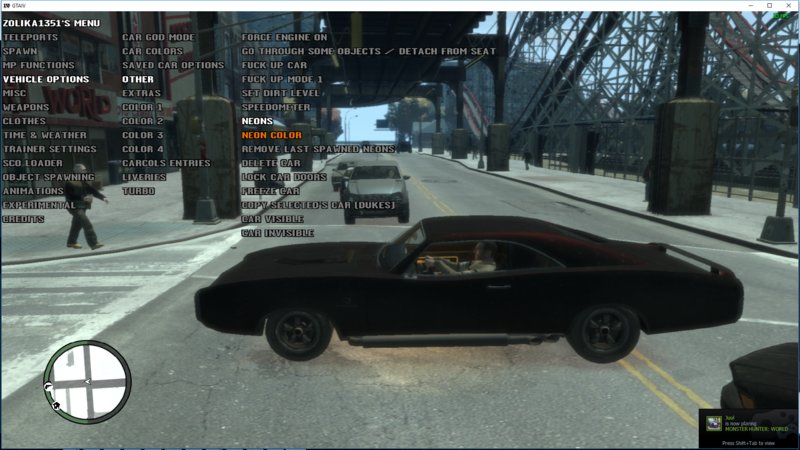
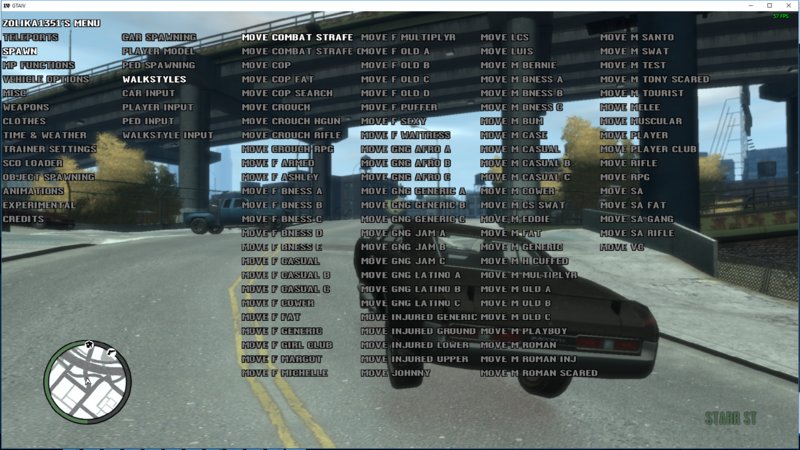
Videos
尚未添加任何视频。你需要先登录才能为该 Mod 添加视频。
描述
I've been rewriting the entire trainer from scratch with much more optimized code, using the new function pointer system that my friend added to SC-CL and a printf function that another friend of mine sent me. The rewritten version doesn't have every single feature from the old one, only the ones that I felt were important. I'm going to add any feature back if enough people request it.
Controls:
F7 and Numpad
F6 for airbreak
OEM keys for shortcuts (Never Wanted, Unlimited Ammo, Resurrect, etc)
4.0 Changelog:
Blackscreen Protection now disabled by default
Added Unlimited Ammo hotkey
Fixed Keybinds toggle not working for some keys
Added Special God Mode hotkey
Added Always God Mode hotkey
Added Menu Color menu
Added Text Font menu
Added Selected Border toggle
Added Text Border toggle
Fixed Time and Weather not working when Time or Weather are frozen
Fixed Disable Trainer
3.2 Changelog:
Fixed Vehicle ID Protection making the car undriveable if driver dies
Added Burn Protection
Added Weapon Remove Protection
Made Anti-Attach and Vehicle ID Protection enabled by default in Freemode
Fixed Compact Menu
3.0 Changelog:
Added bool parameter natives
Added Player Data menu
Added SP in MP
Fixed f*ck Up Car and Neon Color acting weird for 1 frame
Added Compact Menu toggle
Set Anti-Attach and Vehicle ID protection to disabled by default
Changelog:
Rewrote the entire menu with function pointers, removing all unused features that were taking up space in the old code
You can hold down NUM2 or NUM8 to scroll faster or tap to scroll at any speed you want
Added Disable Trainer option to Trainer Settings
Redesigned menus with a lot of options, any options going over the maximum number of options in a column will appear in another column
Added names to all episodic weapons
Added Increase/Decrease Wanted Level option
Added Give Health/Armor option
Made Kick option work
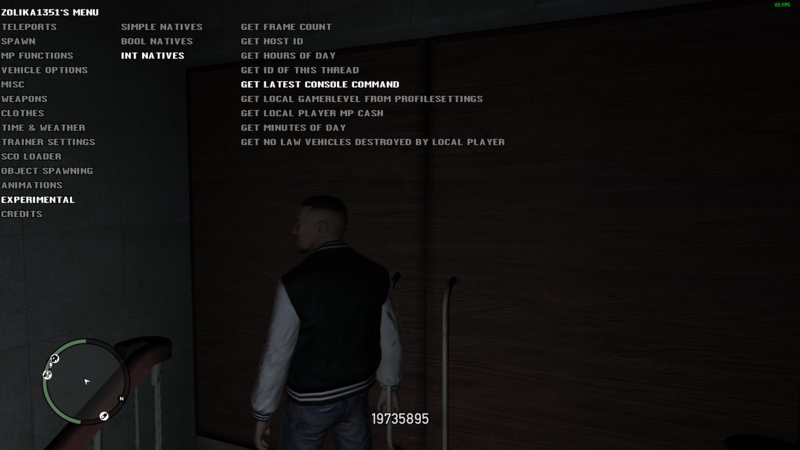
Added Experimental menu with native execution
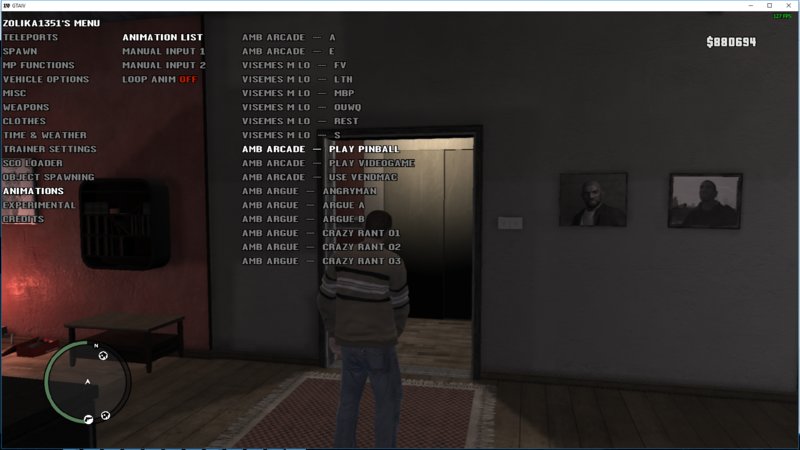
Added EFLC animations to the Animation List
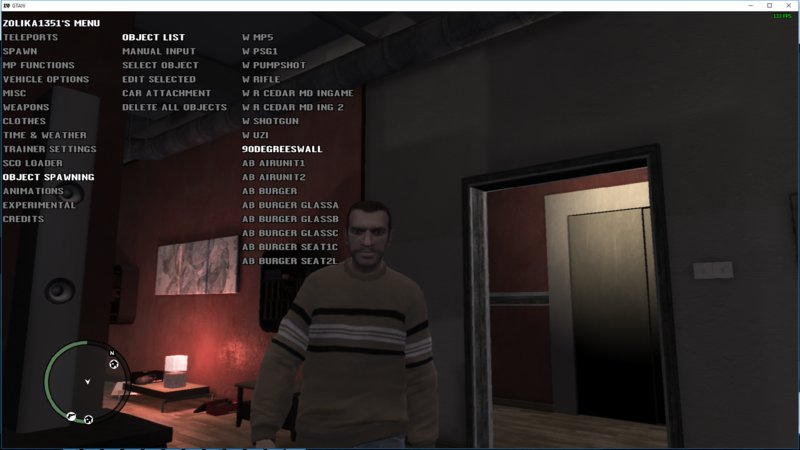
Added Car Attachment to Object Spawning with customizable attach offset
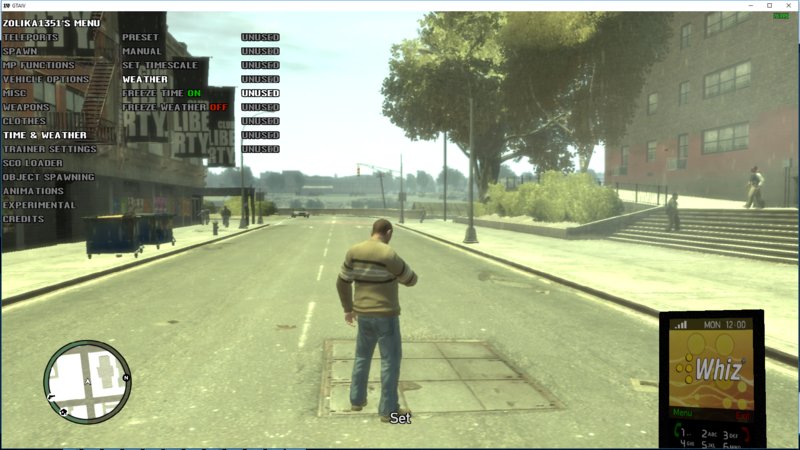
Redesigned Time & Weather menu, Freeze Time and Weather are now in the main area, not in the submenus
Added all 256 available weathers to Weather menu
Added Solidity and Damagability toggles to Object Spawning
Extended the Animations and Object Spawning lists' number of options listed at once
Trainer no longer waits before spawning things, the game will freeze to load the model, and if there's any issues it will unfreeze and won't crash or hang the trainer
Added Walkstyle not Found message instead of making the trainer hang
Added EFLC walkstyles and my addon 3D universe walkstyles to the Walkstyle menu
Added correct EFLC vehicles centre of mass for middle mouse fly
Controls:
F7 and Numpad
F6 for airbreak
OEM keys for shortcuts (Never Wanted, Unlimited Ammo, Resurrect, etc)
4.0 Changelog:
Blackscreen Protection now disabled by default
Added Unlimited Ammo hotkey
Fixed Keybinds toggle not working for some keys
Added Special God Mode hotkey
Added Always God Mode hotkey
Added Menu Color menu
Added Text Font menu
Added Selected Border toggle
Added Text Border toggle
Fixed Time and Weather not working when Time or Weather are frozen
Fixed Disable Trainer
3.2 Changelog:
Fixed Vehicle ID Protection making the car undriveable if driver dies
Added Burn Protection
Added Weapon Remove Protection
Made Anti-Attach and Vehicle ID Protection enabled by default in Freemode
Fixed Compact Menu
3.0 Changelog:
Added bool parameter natives
Added Player Data menu
Added SP in MP
Fixed f*ck Up Car and Neon Color acting weird for 1 frame
Added Compact Menu toggle
Set Anti-Attach and Vehicle ID protection to disabled by default
Changelog:
Rewrote the entire menu with function pointers, removing all unused features that were taking up space in the old code
You can hold down NUM2 or NUM8 to scroll faster or tap to scroll at any speed you want
Added Disable Trainer option to Trainer Settings
Redesigned menus with a lot of options, any options going over the maximum number of options in a column will appear in another column
Added names to all episodic weapons
Added Increase/Decrease Wanted Level option
Added Give Health/Armor option
Made Kick option work
Added Experimental menu with native execution
Added EFLC animations to the Animation List
Added Car Attachment to Object Spawning with customizable attach offset
Redesigned Time & Weather menu, Freeze Time and Weather are now in the main area, not in the submenus
Added all 256 available weathers to Weather menu
Added Solidity and Damagability toggles to Object Spawning
Extended the Animations and Object Spawning lists' number of options listed at once
Trainer no longer waits before spawning things, the game will freeze to load the model, and if there's any issues it will unfreeze and won't crash or hang the trainer
Added Walkstyle not Found message instead of making the trainer hang
Added EFLC walkstyles and my addon 3D universe walkstyles to the Walkstyle menu
Added correct EFLC vehicles centre of mass for middle mouse fly
评论
目前已发表了 52 条评论。






02/06/2021 20:54
its because they re butthurt by telling people how it works because it hurts them that they dont get anything in return lol now let me tell you how to install the rest of the people who installed it and know how it works and doesnt tell anything are just selfish motherfuckers who only think about themself its satisfying to know that everyone dies eventually so cancer cant continue to excist forever !!


INSTALL THIS MOD (FOR GTA IV TRAINER)
choose the folder with the mod and go to easyinstall - common - data - cdimages in this folder COPY the content to your gamedirectory folder (this is the folder where Gta IV is installed)
depending what drive it is the letter can change for me its
Thispc - Local disc (D:) - Steam - Steamapps - Common - Grand Theft Auto IV - GTAIV - Common - Data - cdimages this is where you have to paste the 2 files in its ask you to replace it with the files that are already in there choose YES
if you did this correctly start op the game and open the trainer with F7
use the numpad to move look down here to see how
-F7 = Open (and close) The Trainer
num 8 = Go Up
num 4= Go Left
num 6 = Go Right
num 2 = Go Down
num 5 = Accept
num 0 = Go Back
hope it helped
引用 | 回复
its because they re butthurt by telling people how it works because it hurts them that they dont get anything in return lol now let me tell you how to install the rest of the people who installed it and know how it works and doesnt tell anything are just selfish motherfuckers who only think about themself its satisfying to know that everyone dies eventually so cancer cant continue to excist forever !!
INSTALL THIS MOD (FOR GTA IV TRAINER)
choose the folder with the mod and go to easyinstall - common - data - cdimages in this folder COPY the content to your gamedirectory folder (this is the folder where Gta IV is installed)
depending what drive it is the letter can change for me its
Thispc - Local disc (D:) - Steam - Steamapps - Common - Grand Theft Auto IV - GTAIV - Common - Data - cdimages this is where you have to paste the 2 files in its ask you to replace it with the files that are already in there choose YES
if you did this correctly start op the game and open the trainer with F7
use the numpad to move look down here to see how
-F7 = Open (and close) The Trainer
num 8 = Go Up
num 4= Go Left
num 6 = Go Right
num 2 = Go Down
num 5 = Accept
num 0 = Go Back
hope it helped
引用 | 回复







02/26/2020 00:53
@azurekayser
Very well said.
I mean I already figured how the easy install works, but it would be nice to have some notion as to what to do with manual install.
I'm so sick and tired of modders that go through everything to make a mod, then some fucked up reason after they're done, their brain falls out as if everyone is supposed to magically know what to do by default. WTF is that shit?
引用 | 回复
@azurekayser
Very well said.
I mean I already figured how the easy install works, but it would be nice to have some notion as to what to do with manual install.
I'm so sick and tired of modders that go through everything to make a mod, then some fucked up reason after they're done, their brain falls out as if everyone is supposed to magically know what to do by default. WTF is that shit?
引用 | 回复
08/15/2019 13:27
Thank you for providing this mod and for your efforts.
What I don't find fair is the fact that you provide zero explaination how to install it and a simple explaination what the trainer is capable of. This is the WORST service I've ever come across in my recent years running hacks and mods. Those people did provide terribly-written tutorials only a high level genius, who knows how cmd, Python etc. works, but atleast they provide an explaination, which is depending on the tutorial difficult to understand for beginners, you on the other hand provide nothing. Is it that really hard to write a small documentation what it is and how to install it? If you can't atleast provide this and refuse to, then don't bother next time with your mods. Seriously. "Yeah whatever."
For the others: You can easily install this trainer by transfering the two files inside /cdimages to your GTA IV game. Go to the main folder, where your game is installed. For example: C:\Programs\GTAIV and go to \common\data\cdimages. If you have no idea how to find it or can't find it, hit the windows button, type in the empty field bellow "GTAIV" and search for the directory. If you use Windows 10, there is a search field next to the windows logo you can use aswell. If Windows found it, click on the directory. Go to \common\data\cdimages. I recommend doing a backup of script.img and script_network.img. Afterwards, transfer or copy&paste the two files from \Easty install\common\data\cdimages to the other \cdimages folder (from the actual game). Because this guy provides no better explaintion what the other files inside the \Manual install folder do, I have no idea how to install the other files and I've no idea what they do.
引用 | 回复
Thank you for providing this mod and for your efforts.
What I don't find fair is the fact that you provide zero explaination how to install it and a simple explaination what the trainer is capable of. This is the WORST service I've ever come across in my recent years running hacks and mods. Those people did provide terribly-written tutorials only a high level genius, who knows how cmd, Python etc. works, but atleast they provide an explaination, which is depending on the tutorial difficult to understand for beginners, you on the other hand provide nothing. Is it that really hard to write a small documentation what it is and how to install it? If you can't atleast provide this and refuse to, then don't bother next time with your mods. Seriously. "Yeah whatever."
For the others: You can easily install this trainer by transfering the two files inside /cdimages to your GTA IV game. Go to the main folder, where your game is installed. For example: C:\Programs\GTAIV and go to \common\data\cdimages. If you have no idea how to find it or can't find it, hit the windows button, type in the empty field bellow "GTAIV" and search for the directory. If you use Windows 10, there is a search field next to the windows logo you can use aswell. If Windows found it, click on the directory. Go to \common\data\cdimages. I recommend doing a backup of script.img and script_network.img. Afterwards, transfer or copy&paste the two files from \Easty install\common\data\cdimages to the other \cdimages folder (from the actual game). Because this guy provides no better explaintion what the other files inside the \Manual install folder do, I have no idea how to install the other files and I've no idea what they do.
引用 | 回复