Videos


你需要先登录才能为该 Mod 添加视频。
描述
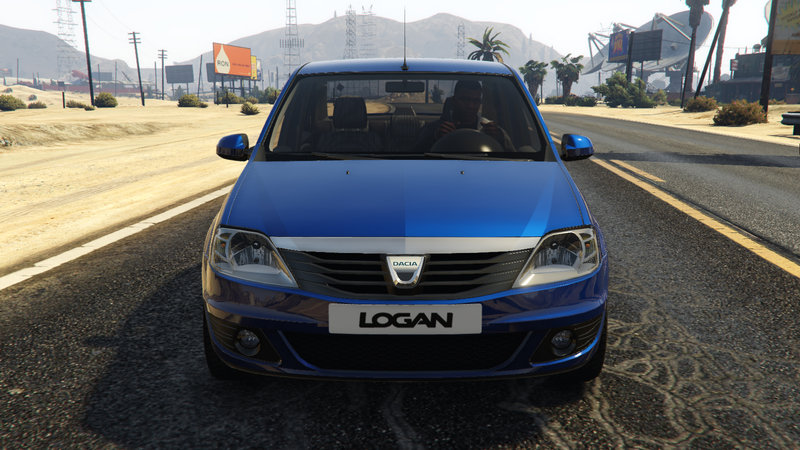
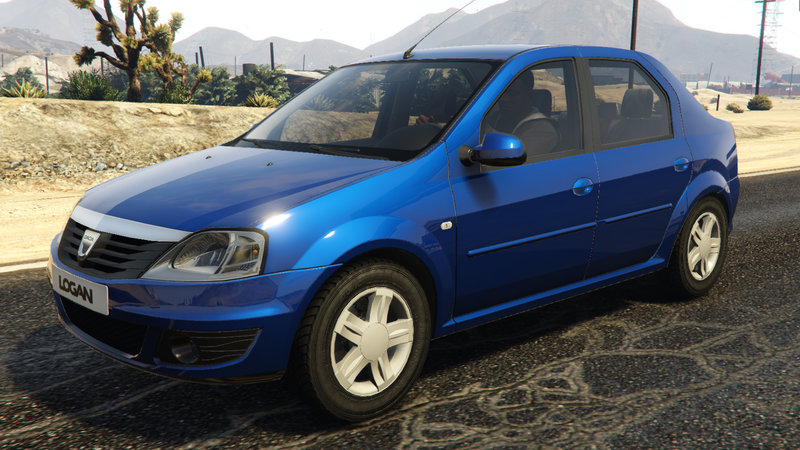
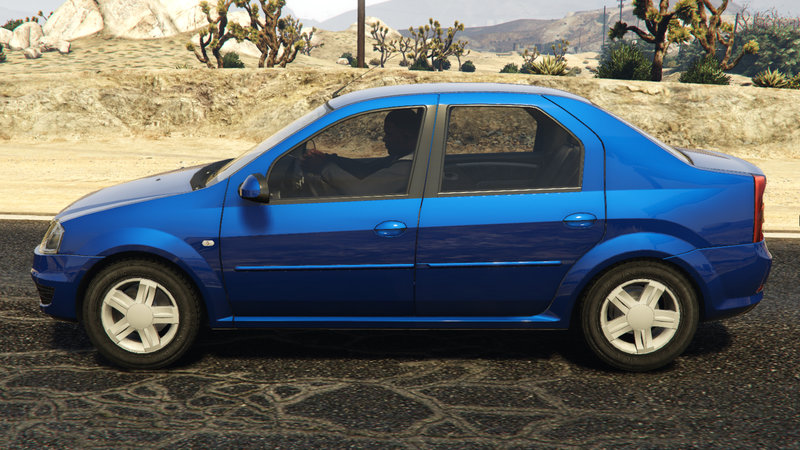
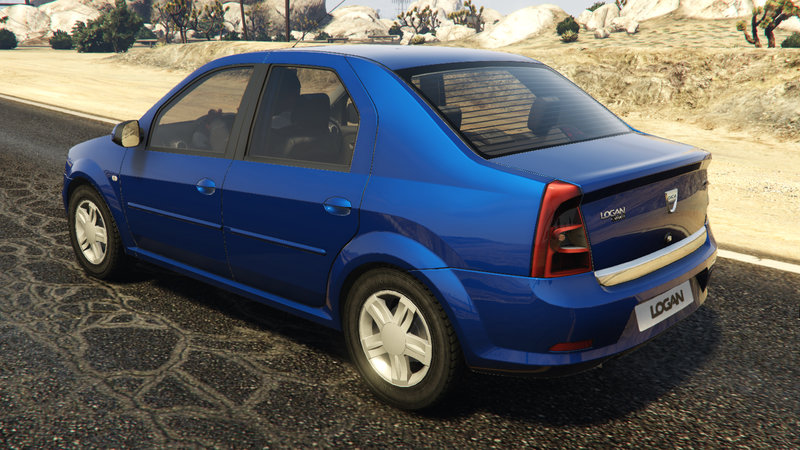
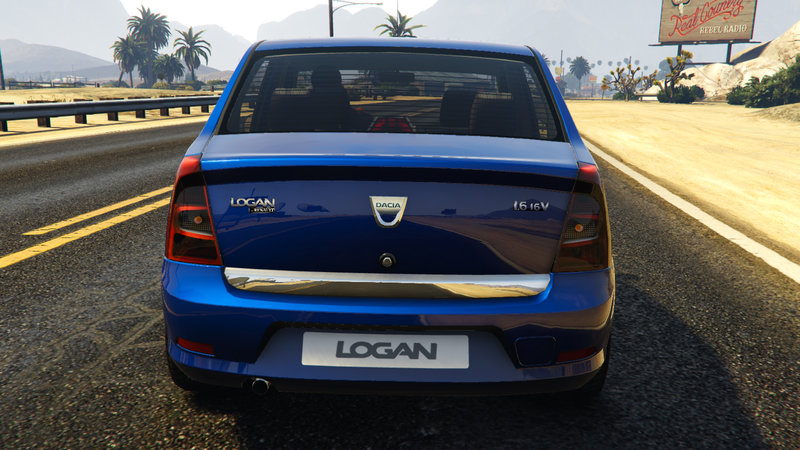
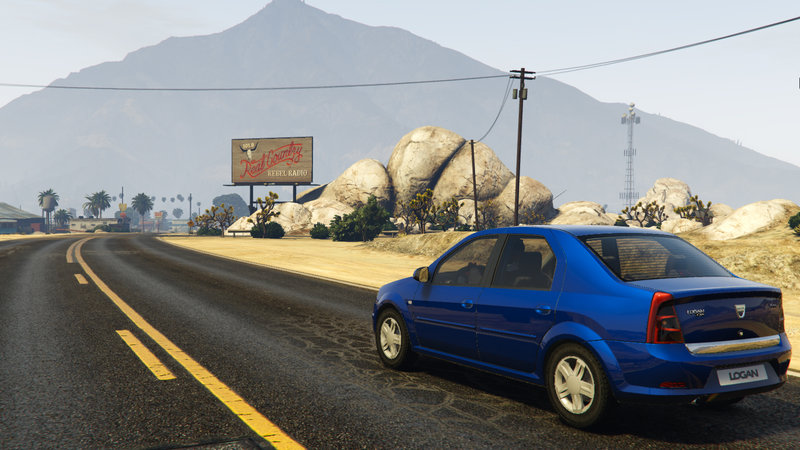
Car name: - Dacia Logan 2008
Author: - JUVENILE
Release date: - 03-01-2016
Tools Used: - 3ds max 2010
- Adobe Photoshop CS2
- Zmodeler 3.1.2
-This car was made from scratch by JUVENILE
-Dacia Logan 2008 car MOD replaces "Buffalo" car from GTA V
------->INSTALLATION<-------
1:>Open "OpenIV" program and click on "Edit mode" button
2:>Using "OpenIV" program, navigate to ...GTA V root folder\x64e.rpf\levels\gta5\vehicles.rpf\...
3:>Drag and drop all 3 files(buffalo.yft, buffalo_hi.yft, buffalo.ytd) in "vehicles.rpf" folder;
4:>After you added all files, click on "Edit mode" once again and close OpenIv program;
4:>Run GTA V and spawn "Buffalo" car.
ENJOY & HAVE FUN.....
Author: - JUVENILE
Release date: - 03-01-2016
Tools Used: - 3ds max 2010
- Adobe Photoshop CS2
- Zmodeler 3.1.2
-This car was made from scratch by JUVENILE
-Dacia Logan 2008 car MOD replaces "Buffalo" car from GTA V
------->INSTALLATION<-------
1:>Open "OpenIV" program and click on "Edit mode" button
2:>Using "OpenIV" program, navigate to ...GTA V root folder\x64e.rpf\levels\gta5\vehicles.rpf\...
3:>Drag and drop all 3 files(buffalo.yft, buffalo_hi.yft, buffalo.ytd) in "vehicles.rpf" folder;
4:>After you added all files, click on "Edit mode" once again and close OpenIv program;
4:>Run GTA V and spawn "Buffalo" car.
ENJOY & HAVE FUN.....
评论
目前已发表了 13 条评论。


01/03/2016 23:12
@JUVENILE Thats why i was thinking about to make a full guide of car making
Ok its very simple, you need to replace the dacia with a car that use the same dials layout like your dacia or u change it in the vehicles.meta under dash types
But now, dials in ZM3 is simple,
Import a original GTA V car that use the same dash type, i think your dashtype must be from a normal modern car in GTA V,
Import the car into your dacia project scene and delink the object name "dials" from your GTA V car and link it to you chassis of your Dacia like all other objects like headlights...
now move the whole dials objects over to your dacia dashboard but place it above of the dacia speedometer texture.
Now scale the dials objects and form it like the dacia dials, they are round, you can create the dials object by yourself but this is a little bit harder
Now you can export the dacia, but if you cant see the dials ingame, then you need to move the dials material that is applied to the dials object upper than the material of your dashboard glas of your dacia.
If you have a nail on your dasboard tacho texture, just remove it with any photoprogram that you use to let the moving dials alone
And by the way, to make interior light like shining elements or symbols, you only need to apply the vehicle_emmensive shader on your object that you want to get light, but this require to make the texture of the shining object darker because the shader makes it brighter then.
引用 | 回复
@JUVENILE Thats why i was thinking about to make a full guide of car making
Ok its very simple, you need to replace the dacia with a car that use the same dials layout like your dacia or u change it in the vehicles.meta under dash types
But now, dials in ZM3 is simple,
Import a original GTA V car that use the same dash type, i think your dashtype must be from a normal modern car in GTA V,
Import the car into your dacia project scene and delink the object name "dials" from your GTA V car and link it to you chassis of your Dacia like all other objects like headlights...
now move the whole dials objects over to your dacia dashboard but place it above of the dacia speedometer texture.
Now scale the dials objects and form it like the dacia dials, they are round, you can create the dials object by yourself but this is a little bit harder
Now you can export the dacia, but if you cant see the dials ingame, then you need to move the dials material that is applied to the dials object upper than the material of your dashboard glas of your dacia.
If you have a nail on your dasboard tacho texture, just remove it with any photoprogram that you use to let the moving dials alone
And by the way, to make interior light like shining elements or symbols, you only need to apply the vehicle_emmensive shader on your object that you want to get light, but this require to make the texture of the shining object darker because the shader makes it brighter then.
引用 | 回复

 . Nice job

 Thanks for sharing your work on GTAinside