GTA V / 汽车 / 纹理
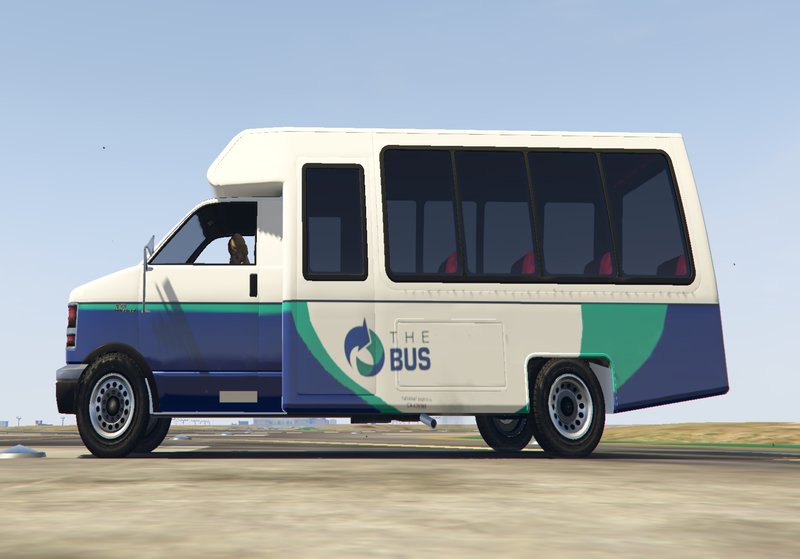
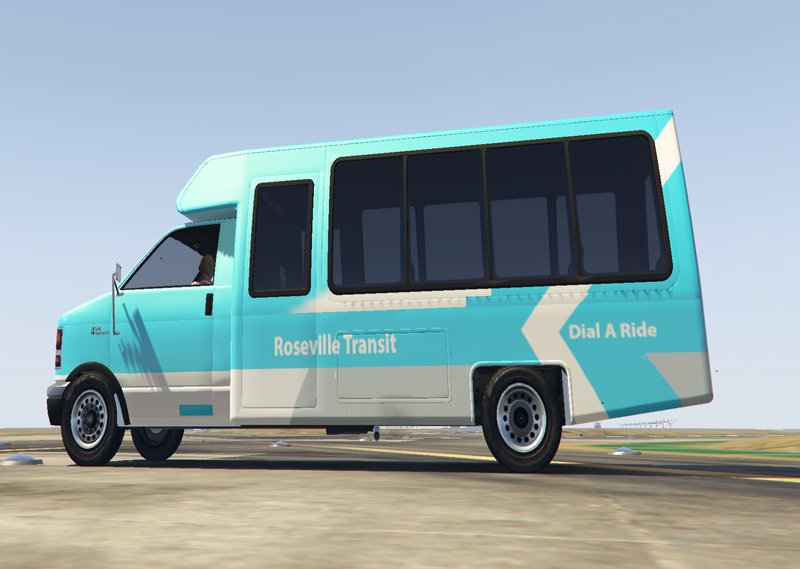
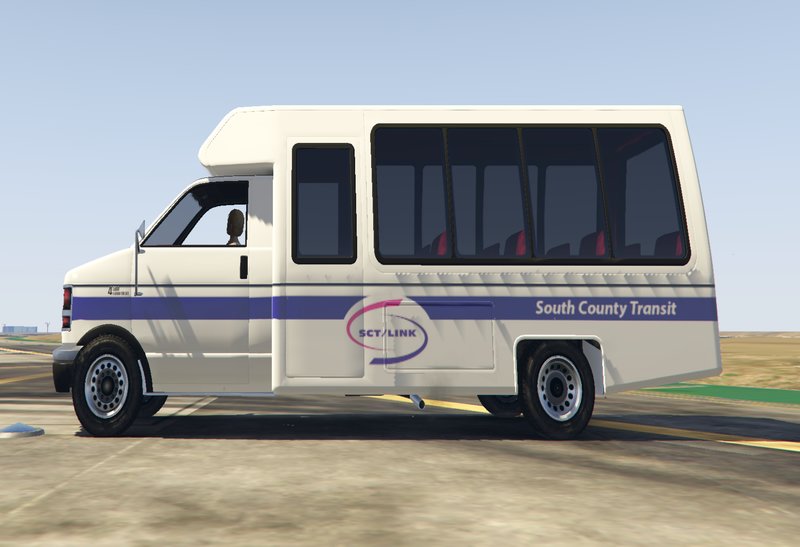
Real CA transit system liveries for Rental Shuttle Bus
- mjames867 | 上传者: mjames867
- 04/29/2021
- 1683 下载量
评分:
请先登录。
收藏夹:
Videos
尚未添加任何视频。你需要先登录才能为该 Mod 添加视频。
描述
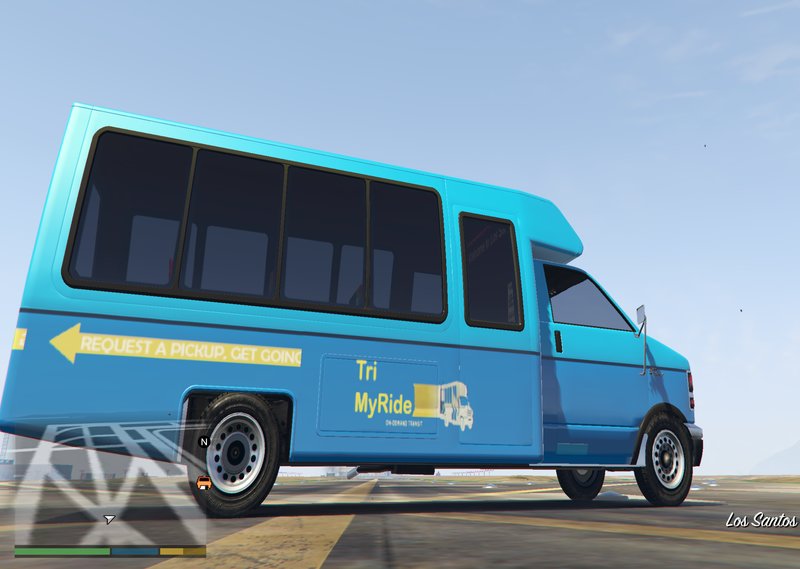
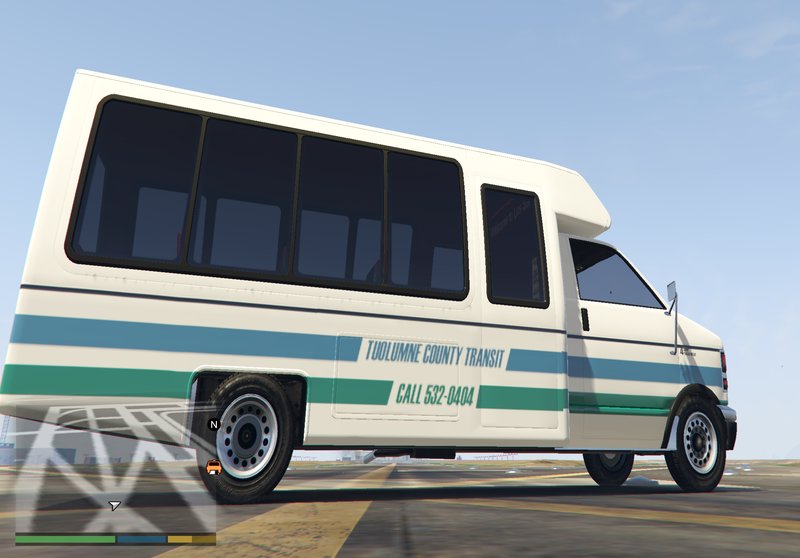
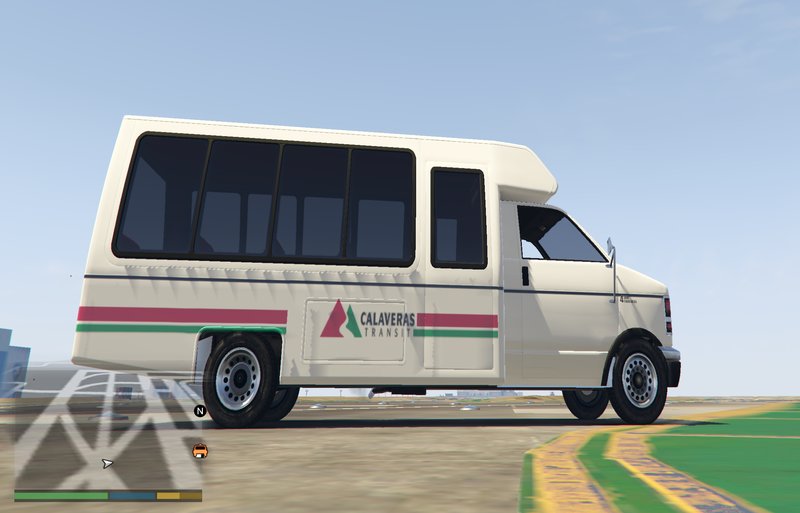
Real CA transit system liveries for Rental Bus:
This mod adds 10 new liveries to the Rental Bus that are of real CA transit systems that operate routes using mini buses. I plan to soon start making a mod with liveries from the rest of the USA.
Liveries included:
-Caleveras Transit
-East Bay Paratransit
-MercedBus
-Roseville Transit
-SacRT SmaRT Ride
-RTD Hopper
-SCT Link
-StaRT 61 shuttle route
-Tuolumne Transit
-Tri Delta Transit TriMyRide
Instructions:
1. Go to mods\update\x64\dlcpacks\patchday3ng\dlc.rpf\x64\levels\gta5\vehicles.rpf\ in OpenIV
2. Open rentalbus+hi.ytd (right click on it and select "edit") and drag up to 5 of the DDS files from the "hi" folder into the texture editor.
3. Change the name of each DDS file to have a number at the end (for example rentalbus_sign_rsv becomes rentalbus_sign_1)
4. Open Open rentalbus.ytd (right click on it and select "edit") and drag up to 5 of the DDS files from the "low" folder into the texture editor.
5. Change the name of each DDS file to have a number at the end (for example rentalbus_sign_rsv becomes rentalbus_sign_1)
Bugs: sometimes the liveries appear low quality on the vehicle if you follow step 4 in the instructions. You can fix this by only transfering DDs files from the "hi" folder into the YTD file.
Note: I'm new to this website so I don't know which category liveries go into. Feel free to change the category.
This mod adds 10 new liveries to the Rental Bus that are of real CA transit systems that operate routes using mini buses. I plan to soon start making a mod with liveries from the rest of the USA.
Liveries included:
-Caleveras Transit
-East Bay Paratransit
-MercedBus
-Roseville Transit
-SacRT SmaRT Ride
-RTD Hopper
-SCT Link
-StaRT 61 shuttle route
-Tuolumne Transit
-Tri Delta Transit TriMyRide
Instructions:
1. Go to mods\update\x64\dlcpacks\patchday3ng\dlc.rpf\x64\levels\gta5\vehicles.rpf\ in OpenIV
2. Open rentalbus+hi.ytd (right click on it and select "edit") and drag up to 5 of the DDS files from the "hi" folder into the texture editor.
3. Change the name of each DDS file to have a number at the end (for example rentalbus_sign_rsv becomes rentalbus_sign_1)
4. Open Open rentalbus.ytd (right click on it and select "edit") and drag up to 5 of the DDS files from the "low" folder into the texture editor.
5. Change the name of each DDS file to have a number at the end (for example rentalbus_sign_rsv becomes rentalbus_sign_1)
Bugs: sometimes the liveries appear low quality on the vehicle if you follow step 4 in the instructions. You can fix this by only transfering DDs files from the "hi" folder into the YTD file.
Note: I'm new to this website so I don't know which category liveries go into. Feel free to change the category.
评论
目前已发表了 1 条评论。