GTA V / Mod / 脚本 Mod
K-YOU - Spotify and Any Music Player as a Radio Station
- LiorMods | 上传者: LiorMods
- liormods.com/mods/k-you-gta...
- 10/12/2026 (最后更新: 10/14/2026)
- 121 下载量
评分:
请先登录。
收藏夹:
视频
尚未添加任何视频。你需要先登录才能为该 Mod 添加视频。
描述
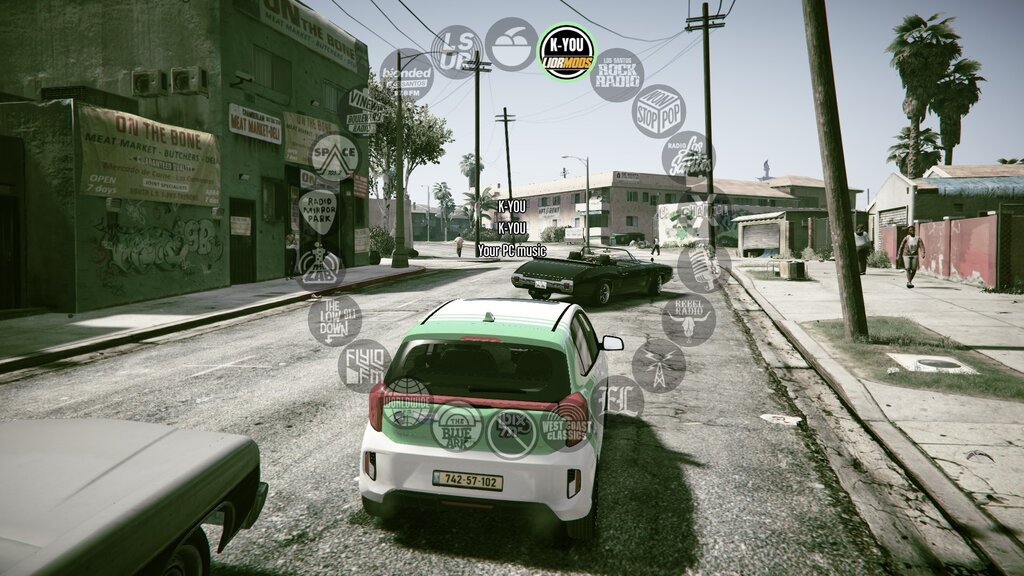
K-YOU turns GTA V's Self Radio into K-YOU, a live radio station for the music player already running on your PC: Spotify, YouTube Music, a browser tab and others. Get in a car, pick K-YOU on the radio wheel, and your music plays, with the song's name on screen. No account, no login, no extra program.
Video: https://youtu.be/dH8UHbU7zPA
Features
- Any player, as a station: anything Windows' media keys can control (Spotify, YouTube or YouTube Music in a browser, Apple Music and more).
- Plays only on K-YOU, only in a vehicle. It pauses when you leave the car, change station, open the pause menu or Alt+Tab, and goes on from the same second.
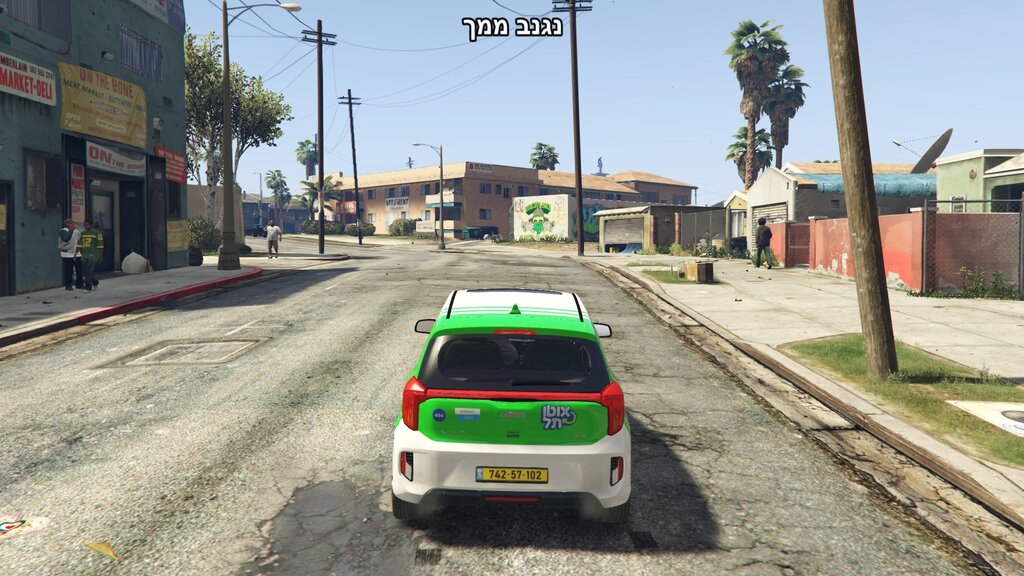
- The song's name on screen when it changes, in any language, Hebrew and Arabic included (the game's own font can't show them).
- The music drops during phone calls and while characters talk, then comes back up, like the game's radio.
- The next vehicle you get into stays on K-YOU.
- Its own name and logo on the radio wheel.
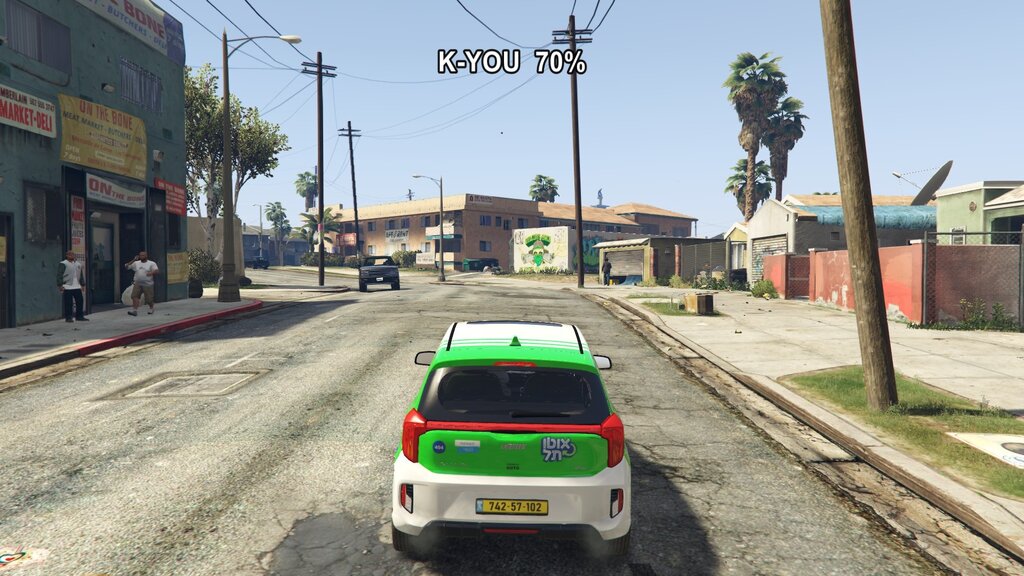
- Your own volume for the music, separate from the game's sound.
Keys (only while on K-YOU, in a vehicle)
- = next song and - previous song: the game's own Next / Previous Radio Track controls, so your own key bindings work.
- ' (apostrophe): play / pause.
- ; (semicolon): volume down. \ (backslash): volume up.
- The ' ; and \ keys are not used by GTA V for anything (checked against the game's own key bindings). K-YOU never blocks a key, and every key can be changed in scripts\K-YOU.ini.
Requirements
- GTA V for PC, Legacy edition (tested on 1.0.3889, Steam), Story Mode only. Never use mods in GTA Online.
- Script Hook V: guide at https://liormods.com/guides/script-hook-v
- ScriptHookVDotNet, a NIGHTLY version (tested on v3.7.0-nightly.193). The stable 3.6.0 does not work on current game versions. Guide at https://liormods.com/guides/scripthookvdotnet
- Lenny's Mod Loader (LML), for K-YOU's name and logo on the wheel: guide at https://liormods.com/guides/lennys-mod-loader - without LML, K-YOU still plays your music and the station keeps the name Self Radio.
- A music player. Spotify is best.
Install
- Copy the two folders scripts and lml from the zip into your GTA V folder (the one with GTA5.exe).
- Start the game. LML adds K-YOU by itself, and K-YOU puts 3 short silent tracks into your User Music folder (Self Radio needs them to show on the wheel).
- K-YOU is on the radio wheel. If it isn't there yet, which can happen on the very first start: Settings > Audio > Perform Quick Scan for Music. K-YOU tells you with a message when it's needed.
- Open your music player, get in a car, hold Q and pick K-YOU.
Good to know
- K-YOU takes over Self Radio: if you had your own songs in Documents\Rockstar Games\GTA V\User Music, move them out of that folder.
- Using another mod that changes the radio wheel icons (hud.ytd, like a coloured radio wheel): only one can show, so turn off "K-YOU - wheel logo" in LML's Mod Manager and keep the name.
- Windows 11 Smart App Control can block new mod files (K-YOU.dll, or LML's vfs.dll) now and then. If K-YOU is on the wheel but no music plays, start the game once more, then see https://liormods.com/guides/smart-app-control
- Rockstar Editor can't record K-YOU's music: it plays outside the game.
- Not for GTA V Enhanced. No game file is changed: delete K-YOU's files and the game is as it was. README.txt in the zip has every step, key and setting.
Changelog
- 1.0.1 - a paused song no longer comes back by itself a few seconds later, and getting into a parked car keeps K-YOU on (it waits for the engine).
- 1.0 - first release.
Links
- K-YOU for GTA V, with the install guide and questions: https://liormods.com/mods/k-you-gta-5
- Also for GTA San Andreas, where K-YOU started: https://liormods.com/mods/k-you
- Questions, bugs, ideas: [email protected]
Credits and licence
- Script Hook V by Alexander Blade. ScriptHookVDotNet by crosire and contributors. Lenny's Mod Loader by LMS.
- K-YOU (c) LiorMods. Free to download and use. Please don't reupload it, modify it for redistribution or sell it without permission. Videos and streams are welcome.
- Spotify, YouTube and other names belong to their owners. K-YOU is a fan-made mod, not affiliated with them, Rockstar Games or Take-Two.
评论
目前已发表了 1 条评论。