Videos

你需要先登录才能为该 Mod 添加视频。
描述
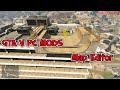
This is a tool reminiscent of MTA:SA Map Editor days. You have a freecam to navigate around, and you can spawn objects (with preview!), move them around with your mouse or keys. Then you can save or load your map in various formats, currently supported are XML and Simple Trainer format (objects.ini).
Controls
F7 - Open main menu.
WASD - Fly around while inside map editor, or when having an object selected, move/rotate the object.
Q and E - While having an object selected, move up/down the object, or rotate it.
F or Enter Vehicle - Open the object spawning menu.
P or Pause - Open the ped spawning menu.
V or Change View - Open the vehicle spawning menu.
Shift - Fly/Move/Rotate objects faster.
Alt - Fly/Move/Rotate objects slower.
Control - While having an object selected, switch from moving to rotating. The arrow above the object will switch colors. Yellow for moving and red for rotating.
Mouse Left Click - Select an object while looking at it.
Mouse Right Click - Move an object with the mouse while looking at it.
Mouse Wheel - Rotate an object while having it snapped to your cursor.
C or Look Behind - Copy an object while looking at it or having it selected.
Del - Delete an object while looking at it.
Saving and Loading Maps
You can load and save your maps as XML files or as object.ini files. When selecting load or save from the main menu, you will be prompted to enter a filename. Note that when loading maps, they stack, so use New Map to clean any objects.
Installation
1. Install ScriptHookV
2. Install ScriptHookVDotNet v1.1
3. Download last NativeUI version from here.
4. Move all contents of the .zip into your /scripts/ directory. If it doesn't exist, create one.
Changelog
- 0.2
-- Removed invalid objects.
-- Added ability to spawn in Peds and Vehicles. Press P for peds, and V for vehicles.
-- Added new formats for saving: C# code and raw.
-- Fixed bugs.
- 0.1
-- Initial Release
Controls
F7 - Open main menu.
WASD - Fly around while inside map editor, or when having an object selected, move/rotate the object.
Q and E - While having an object selected, move up/down the object, or rotate it.
F or Enter Vehicle - Open the object spawning menu.
P or Pause - Open the ped spawning menu.
V or Change View - Open the vehicle spawning menu.
Shift - Fly/Move/Rotate objects faster.
Alt - Fly/Move/Rotate objects slower.
Control - While having an object selected, switch from moving to rotating. The arrow above the object will switch colors. Yellow for moving and red for rotating.
Mouse Left Click - Select an object while looking at it.
Mouse Right Click - Move an object with the mouse while looking at it.
Mouse Wheel - Rotate an object while having it snapped to your cursor.
C or Look Behind - Copy an object while looking at it or having it selected.
Del - Delete an object while looking at it.
Saving and Loading Maps
You can load and save your maps as XML files or as object.ini files. When selecting load or save from the main menu, you will be prompted to enter a filename. Note that when loading maps, they stack, so use New Map to clean any objects.
Installation
1. Install ScriptHookV
2. Install ScriptHookVDotNet v1.1
3. Download last NativeUI version from here.
4. Move all contents of the .zip into your /scripts/ directory. If it doesn't exist, create one.
Changelog
- 0.2
-- Removed invalid objects.
-- Added ability to spawn in Peds and Vehicles. Press P for peds, and V for vehicles.
-- Added new formats for saving: C# code and raw.
-- Fixed bugs.
- 0.1
-- Initial Release
评论
目前已发表了 11 条评论。





08/18/2016 09:24
@tis3design Hallo, ich habe das gleiche Problem. Habe alles was benötigt wird, installiert. Aber nichts passiert. Und wenn ich das Spiel beenden will, hängt sich GTA V auf... seltsam
Hast Du vielleicht inzwischen eine Lösung gefunden, woran´s lag? Falls ja wäre es echt super wenn du mir mal schreibst!
Gruß Rocker84
引用 | 回复 | (1)
@tis3design Hallo, ich habe das gleiche Problem. Habe alles was benötigt wird, installiert. Aber nichts passiert. Und wenn ich das Spiel beenden will, hängt sich GTA V auf... seltsam
Hast Du vielleicht inzwischen eine Lösung gefunden, woran´s lag? Falls ja wäre es echt super wenn du mir mal schreibst!
Gruß Rocker84
引用 | 回复 | (1)