San Andreas / 汽车 / 普利茅斯
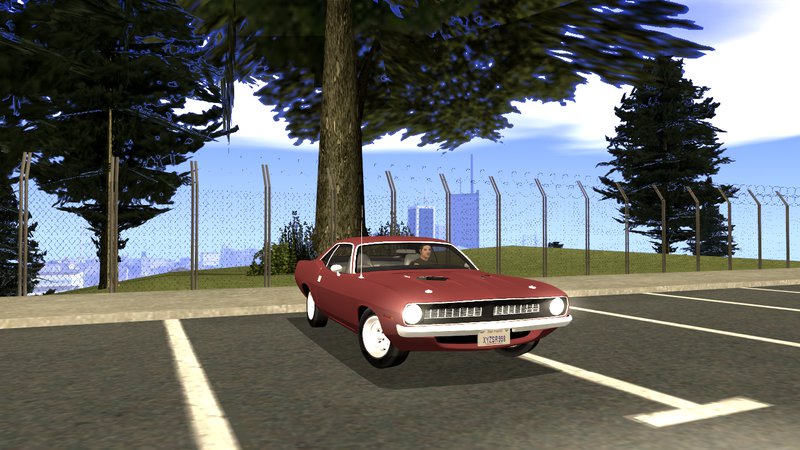
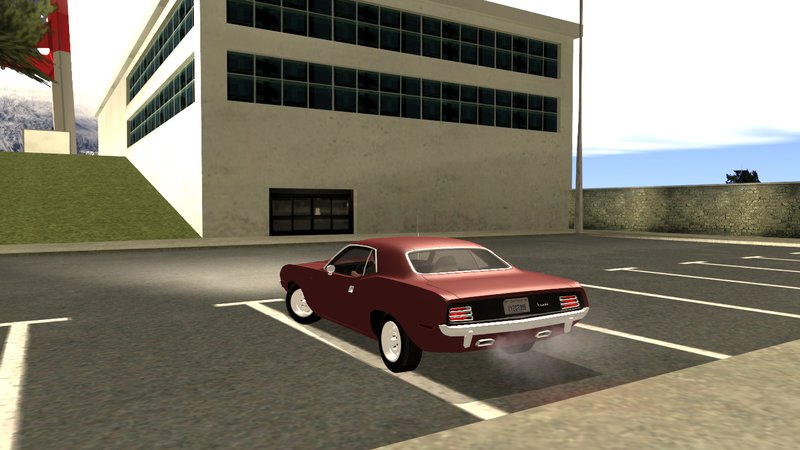
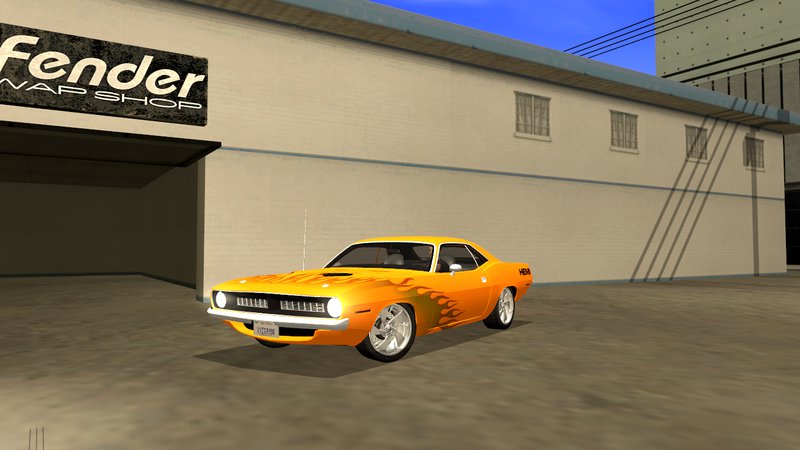
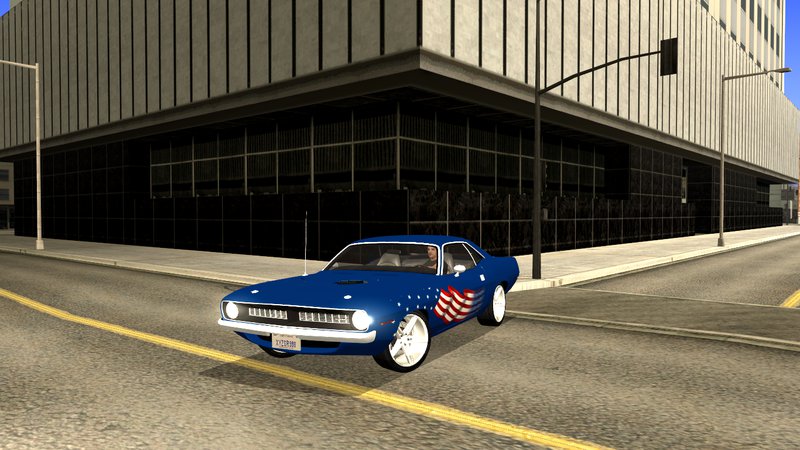
Plymouth Barracuda 440 IVF + ADB
- Terrabite92 | 上传者: TerRaBite92
- 05/14/2017
- 10262 下载量
评分:
请先登录。
收藏夹:
下载
4.84Mb
4.84Mb
Videos

你需要先登录才能为该 Mod 添加视频。
描述
Information:
1970 Plymouth Barracuda 440
Original author: THQ, Juice Games, FM4
Converter: Ebasheer [Terrabite92]
Replace: Stallion [ID:439]
Update:
- Fixed "ped_frontseat" [dummy]
- Fixed "dials lighting" [textures]
- Fixed "damage" [textures]
- Fixed "chassis lights" [textures]
Features:
- Basic parts is damageable
- Car not jumping/shaking from other players;
- Customized fit for peds - SA:MP/MTA;
- Adapted to SA:MP/MTA - no crashes;
- Adapted to standard handling.cfg, vehicles.ide;
- Working lights, dials by time day/night, calipers, steering wheel - IVF 2.1.1;
- Working dashboard, windshield wipers - ADB 3.2.1;
- Detailed standard wheel from FM4;
- Adapted for low PC;
- Custom shadow/collision/chassis_vlo;
- SA license plates;
- Template for making custom paint jobs.
Installation:
1. Extract the folders from archive where you want.
2. Run Alci's IMG Editor and click File -> Open
3. Select gta3.img file located in models folder: "GTA folder\models\gta3.img"
4. Click on Actions -> Import (remove if exists) and select dff and txd files extracted earlier
5. Click File -> Save and close the program
1970 Plymouth Barracuda 440
Original author: THQ, Juice Games, FM4
Converter: Ebasheer [Terrabite92]
Replace: Stallion [ID:439]
Update:
- Fixed "ped_frontseat" [dummy]
- Fixed "dials lighting" [textures]
- Fixed "damage" [textures]
- Fixed "chassis lights" [textures]
Features:
- Basic parts is damageable
- Car not jumping/shaking from other players;
- Customized fit for peds - SA:MP/MTA;
- Adapted to SA:MP/MTA - no crashes;
- Adapted to standard handling.cfg, vehicles.ide;
- Working lights, dials by time day/night, calipers, steering wheel - IVF 2.1.1;
- Working dashboard, windshield wipers - ADB 3.2.1;
- Detailed standard wheel from FM4;
- Adapted for low PC;
- Custom shadow/collision/chassis_vlo;
- SA license plates;
- Template for making custom paint jobs.
Installation:
1. Extract the folders from archive where you want.
2. Run Alci's IMG Editor and click File -> Open
3. Select gta3.img file located in models folder: "GTA folder\models\gta3.img"
4. Click on Actions -> Import (remove if exists) and select dff and txd files extracted earlier
5. Click File -> Save and close the program
评论
目前已发表了 2 条评论。