San Andreas / 地图 / 多人地图
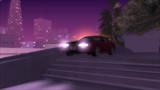
SAMP Daikoku Futo
- ZZPuma, jeremii | 上传者: bjeremii
- zzpumazone.blogspot.com
- 04/18/2023
- 17817 下载量
评分:
请先登录。
收藏夹:
下载
45.09Mb
45.09Mb


视频
尚未添加任何视频。你需要先登录才能为该 Mod 添加视频。
描述
- Daikoku Futo -
Converted to SA by ZZPuma
zzpumazone.blogspot.com
youtube.com/c/ZZPuma
Converted to SAMP by jeremii
Due to some random game limitations, i had to remove the culling/roof zones.
Without roof zones, the rain will pass through shelters.
Requirements:
- Modloader
- CLEO
- Open Limit Adjuster
Optional:
- Project2DFX (increases draw distance)
- SkyGFX (fixes transparency issues, enable dualPass in skygfx ini)
IT IS HIGHLY RECOMMENDED TO INSTALL THIS MOD ON A CLEAN GTA INSTALLATION THAT DOESN'T HAVE ANY OTHER MOD TO PREVENT CONFLICTS
IT IS HIGHLY RECOMMENDED TO INSTALL THIS MOD ON A CLEAN GTA INSTALLATION THAT DOESN'T HAVE ANY OTHER MOD TO PREVENT CONFLICTS
IT IS HIGHLY RECOMMENDED TO INSTALL THIS MOD ON A CLEAN GTA INSTALLATION THAT DOESN'T HAVE ANY OTHER MOD TO PREVENT CONFLICTS
Tested and was working on:
- SAMP 0.3.7 R1
Installation:
1. Open the mod archive and drag the "Daikoku Futo SAMP" folder into your "modloader" folder.
If done right, there should be a "Daikoku Futo SAMP" folder inside your "modloader" folder.
NOTE: Please don't change the folder name.
2. Launch your game, if your game crashes, try launching it atleast 5 more times.
I don't know why but it is what it is.
3. Enjoy, if your game still crashes, the mod is definitely conflicting with something else and i advise you to try it on a clean GTA installation.
If you want the intended timecyc, open the "_OPTIONAL" folder.
And then move the "Daikoku Futo Timecyc" folder into your "modloader folder".
If done right, there should be a "Daikoku Futo Timecyc" folder inside your "modloader" folder.
If you want the map on your radar, open the "_OPTIONAL" folder.
And then move the "Daikoku Futo Radar" folder into your "modloader folder".
If done right, there should be a "Daikoku Futo Radar" folder inside your "modloader" folder.
Type DAIKOKU as a cheat code to teleport to the map.
You can change the code through the .ini file.
PROJECT2DFX setting to increase draw distance:
1. Open "SALodLights.ini" with any text editor, i recommend Notepad++.
2. Find "AllNormalObjectsDrawDistance =", mess around with the value. 600.0 is good enough.
3. Find "TimedObjectsDrawDistance =", make sure it's not 0.0, just 1.0 is fine.
4. Enjoy.
Converted to SA by ZZPuma
zzpumazone.blogspot.com
youtube.com/c/ZZPuma
Converted to SAMP by jeremii
Due to some random game limitations, i had to remove the culling/roof zones.
Without roof zones, the rain will pass through shelters.
Requirements:
- Modloader
- CLEO
- Open Limit Adjuster
Optional:
- Project2DFX (increases draw distance)
- SkyGFX (fixes transparency issues, enable dualPass in skygfx ini)
IT IS HIGHLY RECOMMENDED TO INSTALL THIS MOD ON A CLEAN GTA INSTALLATION THAT DOESN'T HAVE ANY OTHER MOD TO PREVENT CONFLICTS
IT IS HIGHLY RECOMMENDED TO INSTALL THIS MOD ON A CLEAN GTA INSTALLATION THAT DOESN'T HAVE ANY OTHER MOD TO PREVENT CONFLICTS
IT IS HIGHLY RECOMMENDED TO INSTALL THIS MOD ON A CLEAN GTA INSTALLATION THAT DOESN'T HAVE ANY OTHER MOD TO PREVENT CONFLICTS
Tested and was working on:
- SAMP 0.3.7 R1
Installation:
1. Open the mod archive and drag the "Daikoku Futo SAMP" folder into your "modloader" folder.
If done right, there should be a "Daikoku Futo SAMP" folder inside your "modloader" folder.
NOTE: Please don't change the folder name.
2. Launch your game, if your game crashes, try launching it atleast 5 more times.
I don't know why but it is what it is.
3. Enjoy, if your game still crashes, the mod is definitely conflicting with something else and i advise you to try it on a clean GTA installation.
If you want the intended timecyc, open the "_OPTIONAL" folder.
And then move the "Daikoku Futo Timecyc" folder into your "modloader folder".
If done right, there should be a "Daikoku Futo Timecyc" folder inside your "modloader" folder.
If you want the map on your radar, open the "_OPTIONAL" folder.
And then move the "Daikoku Futo Radar" folder into your "modloader folder".
If done right, there should be a "Daikoku Futo Radar" folder inside your "modloader" folder.
Type DAIKOKU as a cheat code to teleport to the map.
You can change the code through the .ini file.
PROJECT2DFX setting to increase draw distance:
1. Open "SALodLights.ini" with any text editor, i recommend Notepad++.
2. Find "AllNormalObjectsDrawDistance =", mess around with the value. 600.0 is good enough.
3. Find "TimedObjectsDrawDistance =", make sure it's not 0.0, just 1.0 is fine.
4. Enjoy.
评论
目前已发表了 11 条评论。