San Andreas / Mod / 音效
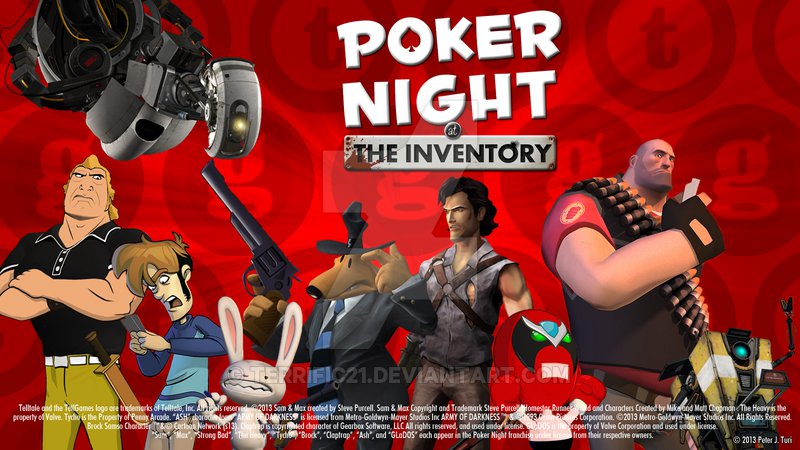
Poker Night At The Inventory Mission Success Sound
- DominatorLegend | 上传者: DominatorLegend
- gtainside.com/user/Dominato...
- 04/30/2017
- 3398 下载量
评分:
请先登录。
收藏夹:
下载
628.51Kb
628.51Kb

Videos
尚未添加任何视频。你需要先登录才能为该 Mod 添加视频。
描述
Hello and thanks for downloading my mod.
This mod replaces the mission success and property buying sound with the one from Poker Night at the Inventory, so it basically changes rap for jazz (classy, huh?).
Here's a link to Soundcloud if you want to preview the sound before downloading: https://soundcloud.com/user-28313086/mission-complete-1
INSTALLATION:
In order to install it you will first need SAAT, which is a tool for SA's sound management. Also, PLEASE MAKE A BACKUP OF THE ORIGINAL FILES BEFORE INSTALLING THESE.
Steps:
1-Open SAAT
2-Locate and open the "beats" folder (no marks)
3-Locate "Mission Complete #1" and "Mission Complete #2" (again, without marks)
4-Use the replace option and select my files from wherever you stored them (dekstop is an easy place)
5-Save and enjoy
FAQ:
Q: Is this compatible with Modloader?
A: I haven't been able to make it happen, but I heard you could toss it in ML under the right path and get it to work
Q: Where did you get the sound? I can't find it on YT
A: This is a conversion from a (dead) TF2 sound mod
Q: Your instructions aren't very good
A: I'm HORRIBLE at explaining stuff. If you don't understand the above steps the internet has many tutorials
This mod replaces the mission success and property buying sound with the one from Poker Night at the Inventory, so it basically changes rap for jazz (classy, huh?).
Here's a link to Soundcloud if you want to preview the sound before downloading: https://soundcloud.com/user-28313086/mission-complete-1
INSTALLATION:
In order to install it you will first need SAAT, which is a tool for SA's sound management. Also, PLEASE MAKE A BACKUP OF THE ORIGINAL FILES BEFORE INSTALLING THESE.
Steps:
1-Open SAAT
2-Locate and open the "beats" folder (no marks)
3-Locate "Mission Complete #1" and "Mission Complete #2" (again, without marks)
4-Use the replace option and select my files from wherever you stored them (dekstop is an easy place)
5-Save and enjoy
FAQ:
Q: Is this compatible with Modloader?
A: I haven't been able to make it happen, but I heard you could toss it in ML under the right path and get it to work
Q: Where did you get the sound? I can't find it on YT
A: This is a conversion from a (dead) TF2 sound mod
Q: Your instructions aren't very good
A: I'm HORRIBLE at explaining stuff. If you don't understand the above steps the internet has many tutorials
评论
目前已发表了 0 条评论。